
Get started with Intake Forms
With intake forms, you can easily create public forms to gather info, tag leads, and offer discounts to your customers and prospects. Intake forms are a great tool for attracting leads and potential customers before they become actual users of your app and Mantle.
These fully customizable forms can help promote your brand, allowing you to share content with customers and even offer discount codes.
Create an intake form
Go to Intake Forms to create a new form and follow the onboarding steps to get set up:
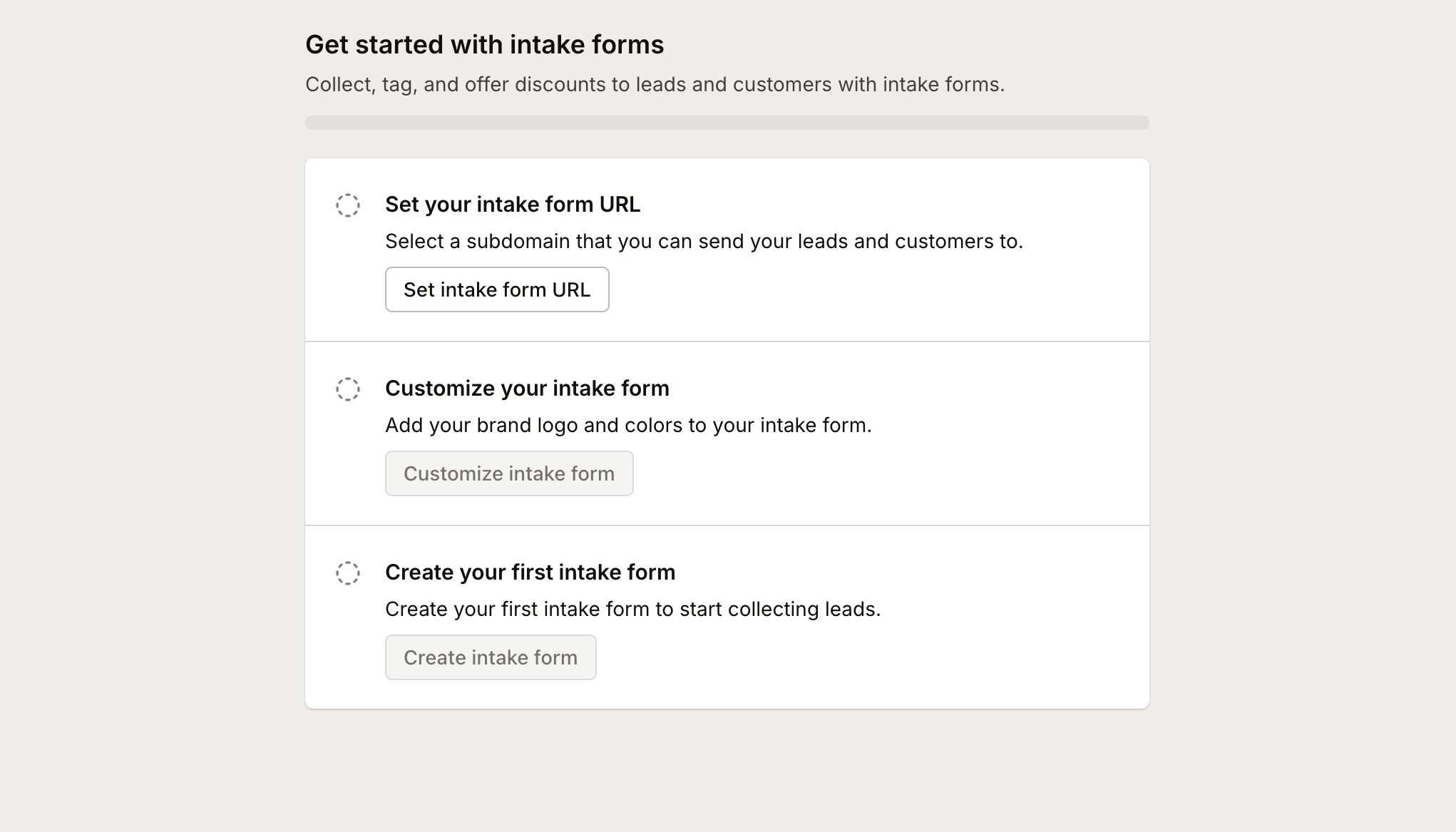
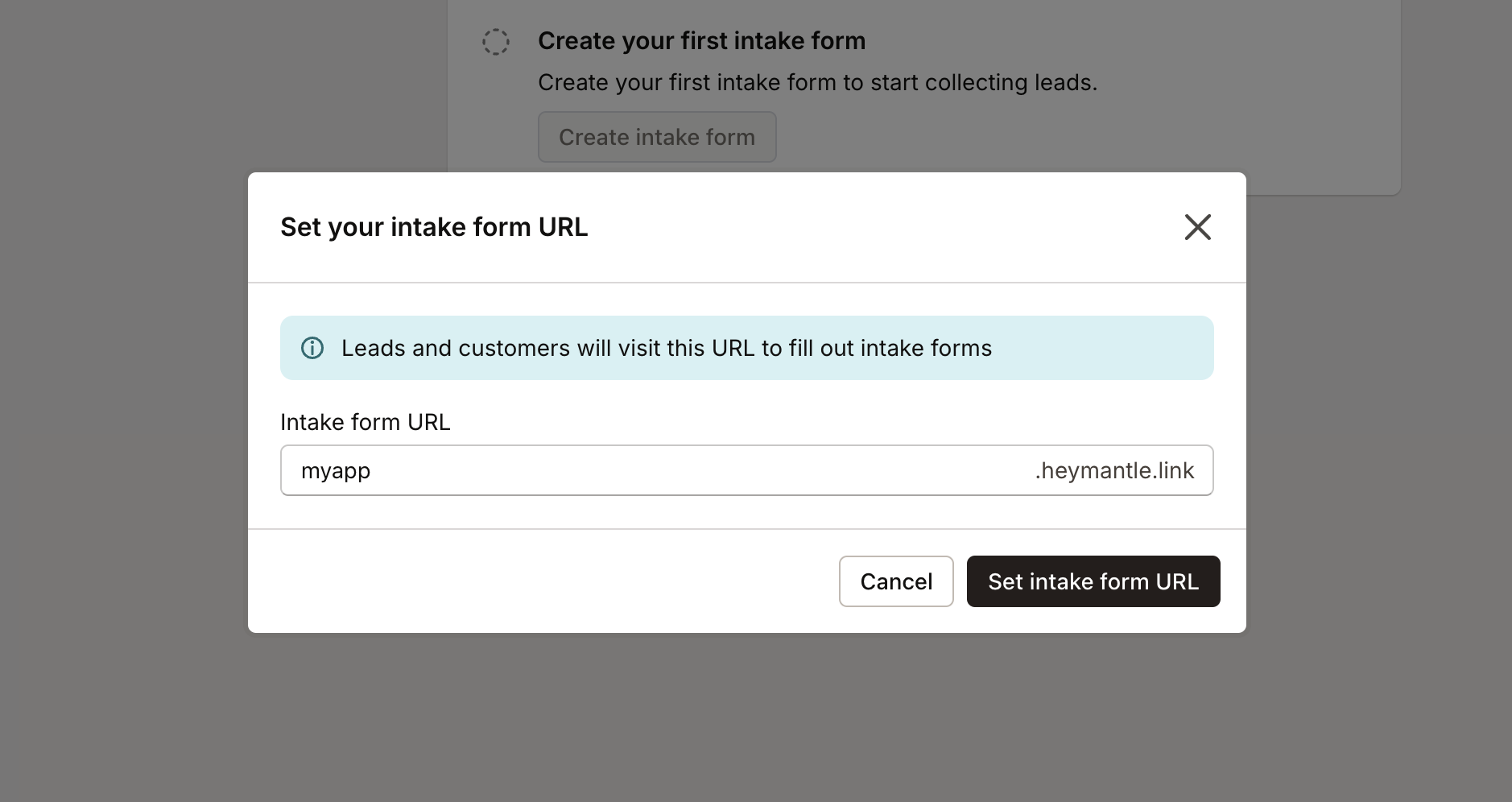
Start by setting the desired URL for your intake form:
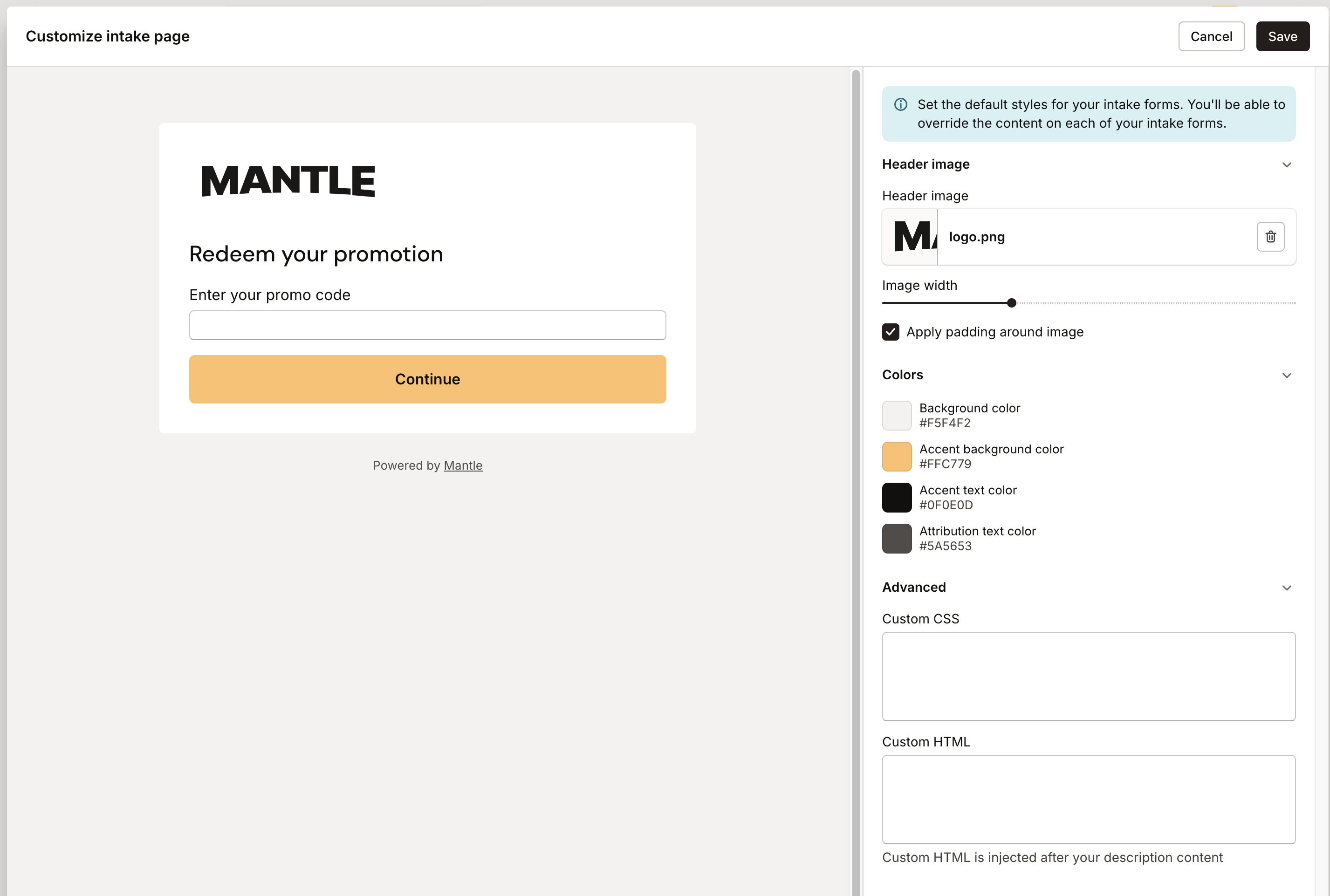
Next, customize the look and feel of your intake form using our editor.
Select your branding colors, add images, and incorporate custom HTML and CSS.
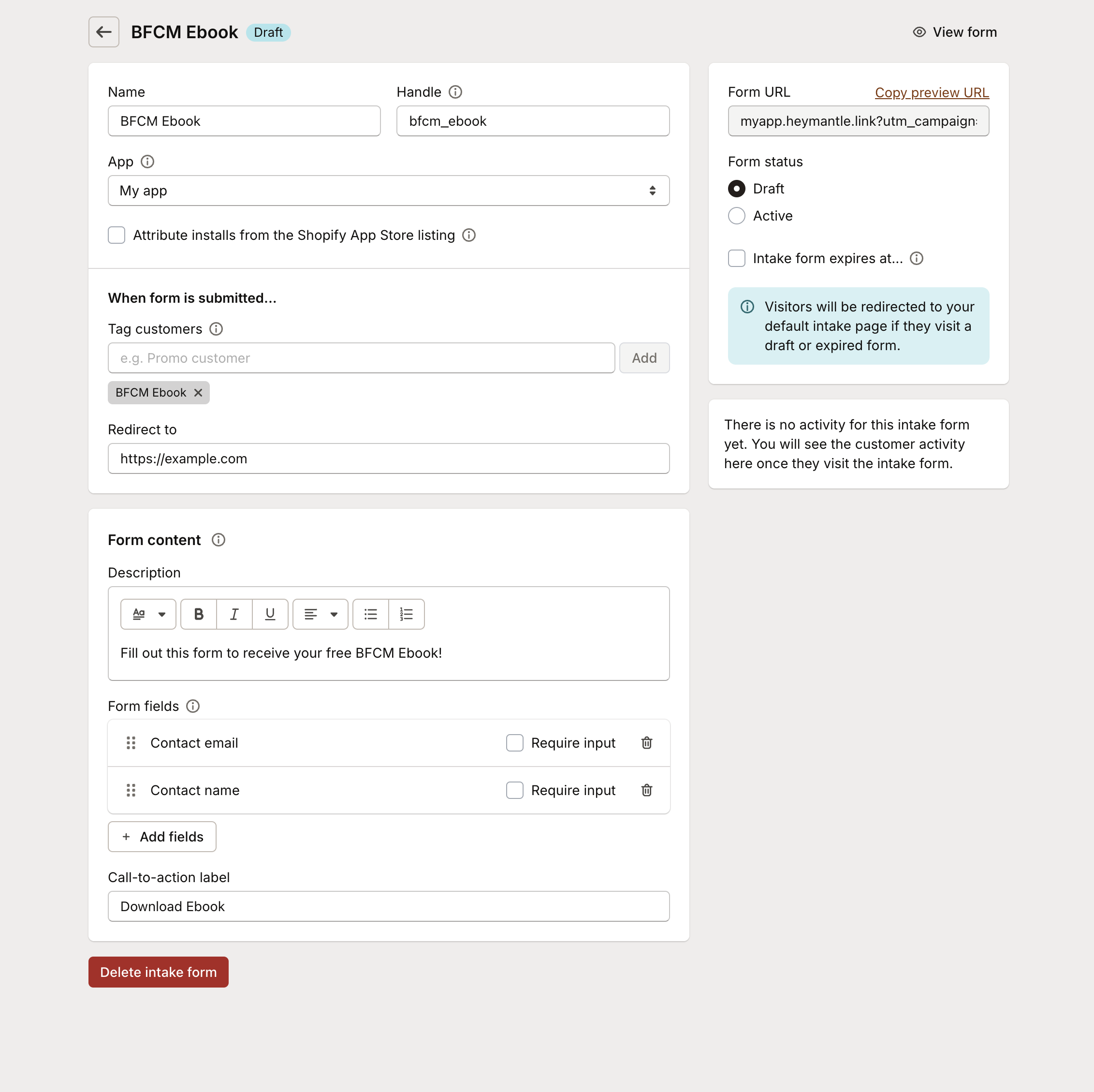
Now, you can add your intake form:
Here, you can customize:
The form’s name and handle
The app linked to the intake responses
Install attribution from your Shopify App Store listing
Tags for customers who respond (associate a discount code with a tag to offer discounts to potential customers)
The URL redirect after form completion
And more
Once your form is set up, you can preview it before launching.
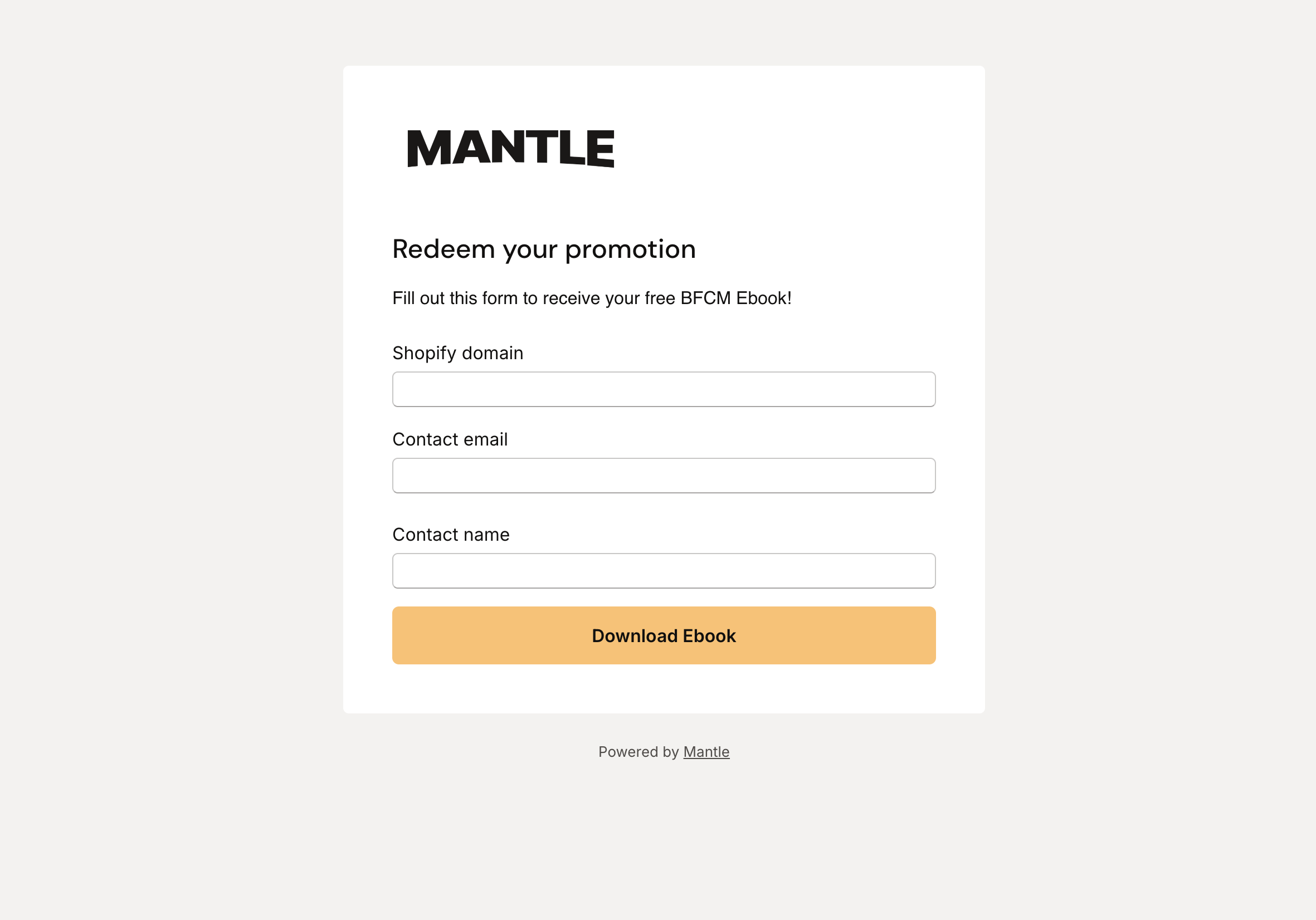
When someone completes the form, they will be added as a new customer with the Intake tag, visible in your Customers view.
This allows you to build a customer list even if they haven’t installed your app. With this information, you can effectively market your app to these leads, aiming to boost installs and conversions.