
Foundations MCP
Integrating Mantle used to take hours of reading documentation, writing boilerplate code, and configuring resources. With the Foundations MCP, an AI agent handles all of that for you. Just describe what you want to achieve, and the agent analyzes your codebase, identifies integration points, generates the code, and configures your Mantle app—all in a single conversation.
In just a couple of prompts, you can go from zero to a full Mantle integration — customer identification, usage event tracking, feature gating, billing UI, and more. The agent writes the code, creates your plans and features, and configures everything end to end.
Build your app, then monetize it
AI app builders like Lovable, Replit, and Base44 let you go from idea to working app in minutes. With the Foundations MCP, you can go one step further — add billing, pricing plans, feature gating, and customer analytics to your app without leaving the platform you're already building in.
Build your app, then tell the AI to integrate Mantle. It will create your Mantle app, set up your plans and features, write the integration code, and configure everything so you're ready to charge customers and run your business. The entire process happens in the same conversation you're already using to build your app — no context switching, no manual configuration, no coding required.
Whether you're prototyping a new SaaS idea or launching a production app, Mantle and these platforms make it possible to go from concept to monetization-ready in a single session.
What the Foundations MCP does
The Foundations MCP gives AI agents full access to Mantle's platform, so they can handle every part of the integration for you:
Analyze your codebase — The agent detects your framework, auth provider, and existing setup to understand exactly where Mantle fits in
Write the integration code — From identifying customers to tracking usage events to gating premium features, the agent generates production-ready code tailored to your stack
Configure your Mantle app — Plans, features, usage metrics, checklists — the agent creates and configures everything directly, no manual setup required
Getting started
1. Add the MCP server
For Claude Code, run this command in your project directory:
claude mcp add mantle-foundations --transport http https://mcp.heymantle.com/foundationsThen authenticate to your Mantle account by by running /mcp in your claude prompt and selecting the MCP you just added.
For Cursor, Windsurf, or other MCP-compatible clients, add the server URL to your MCP configuration:
https://mcp.heymantle.com/foundationsFor AI app builders like Lovable, Replit, and Base44, add the Mantle MCP server URL in your platform's MCP settings.
2. Authenticate
The MCP server uses OAuth for authentication. When you first connect, your client will prompt you to authorize access to your Mantle account.
3. Start integrating
Ask your AI assistant to help with Mantle integration. Start with something like:
"Help me integrate Mantle into my app"
The agent will guide you through the process — analyzing your codebase, recommending integrations, generating code, and configuring your Mantle resources.
See it in action
Here's how the Foundations MCP works in practice with an AI coding assistant like Claude Code or Cursor.
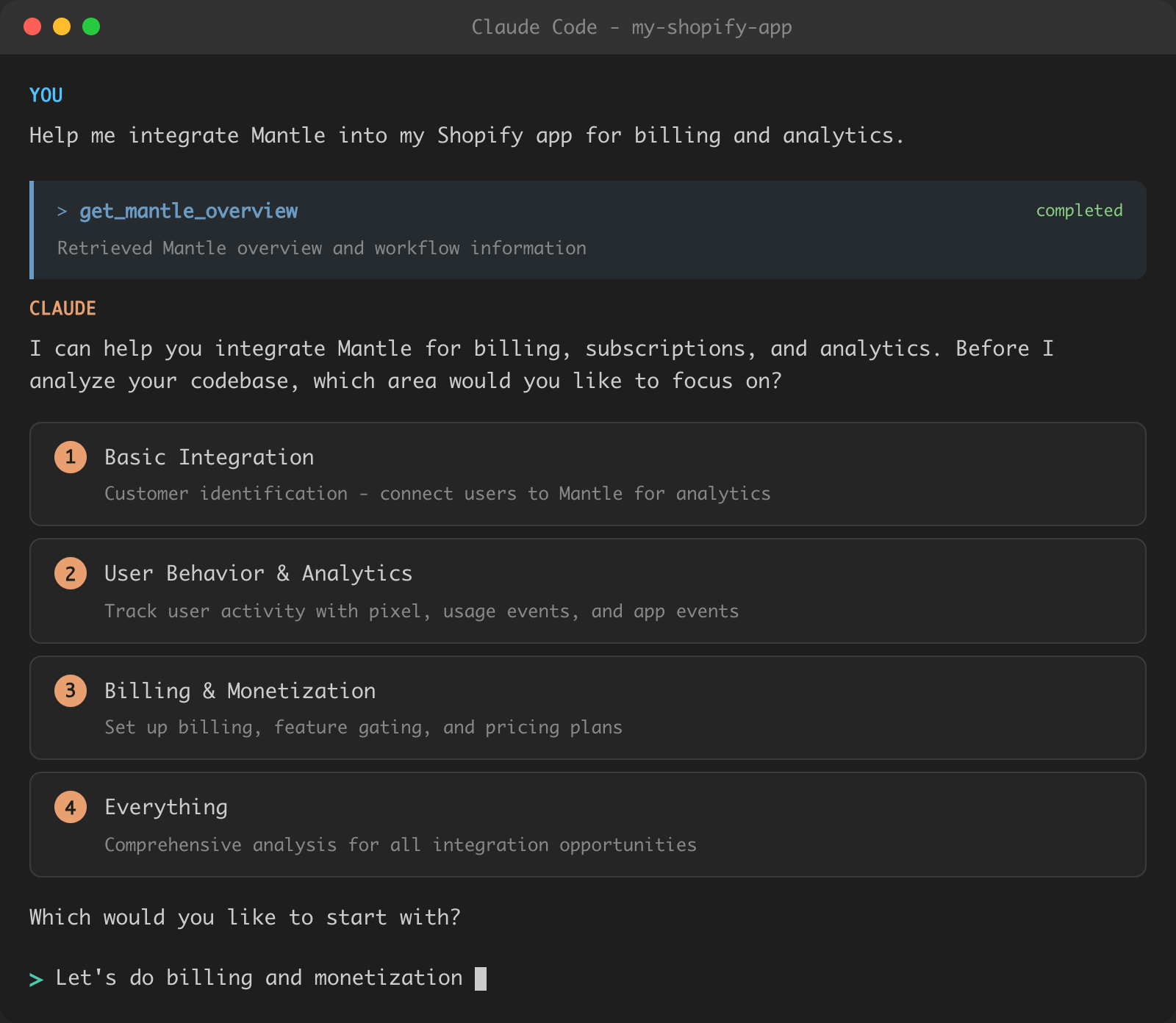
Starting the conversation
When you ask for help integrating Mantle, the agent first retrieves an overview and asks which area you want to focus on:
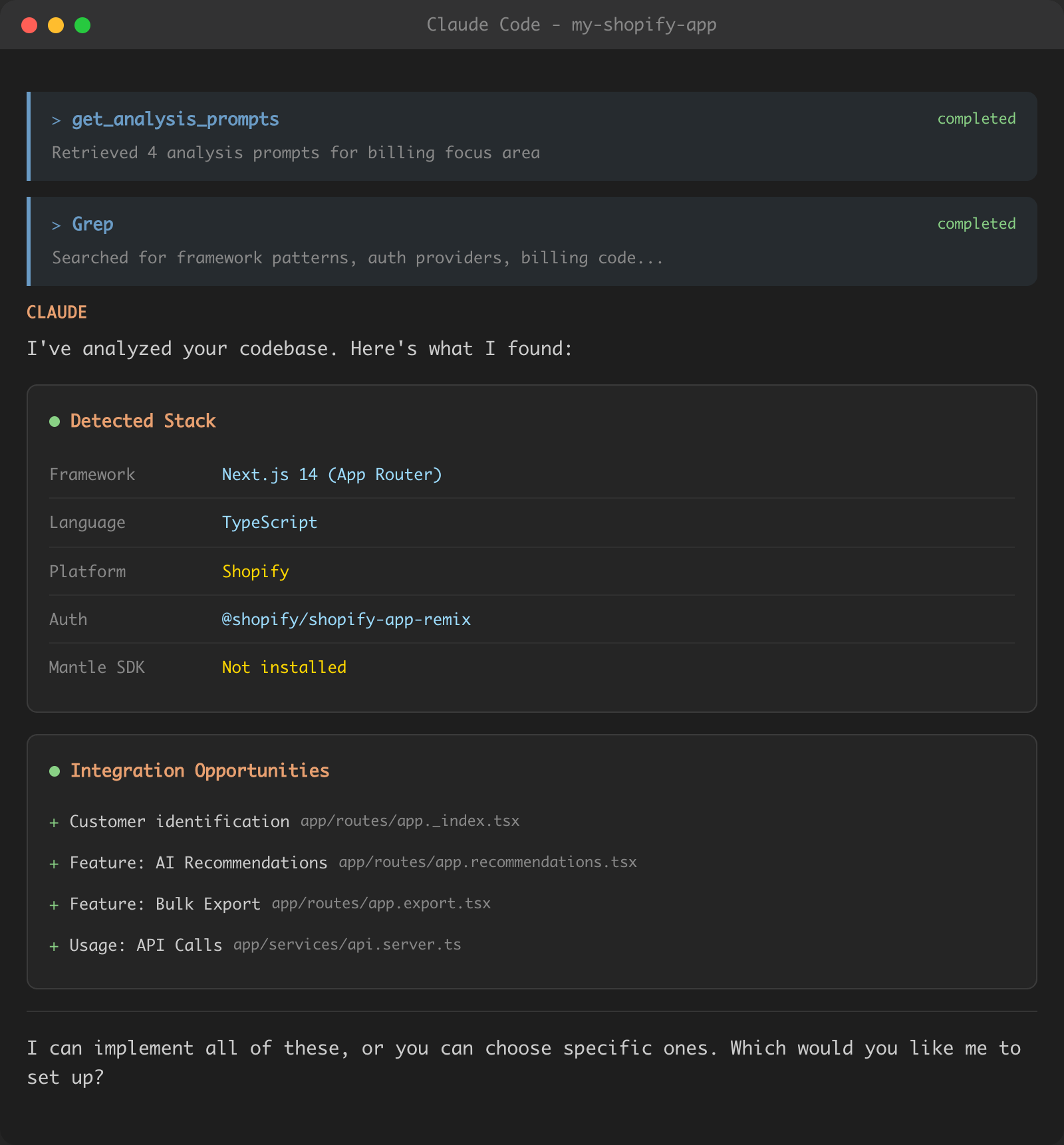
Analyzing your codebase
After you choose a focus area, the agent analyzes your codebase to detect your framework, auth provider, and integration opportunities:
Implementing the integration
Once you confirm what to implement, the agent creates your Mantle app, configures resources, and writes the necessary code:
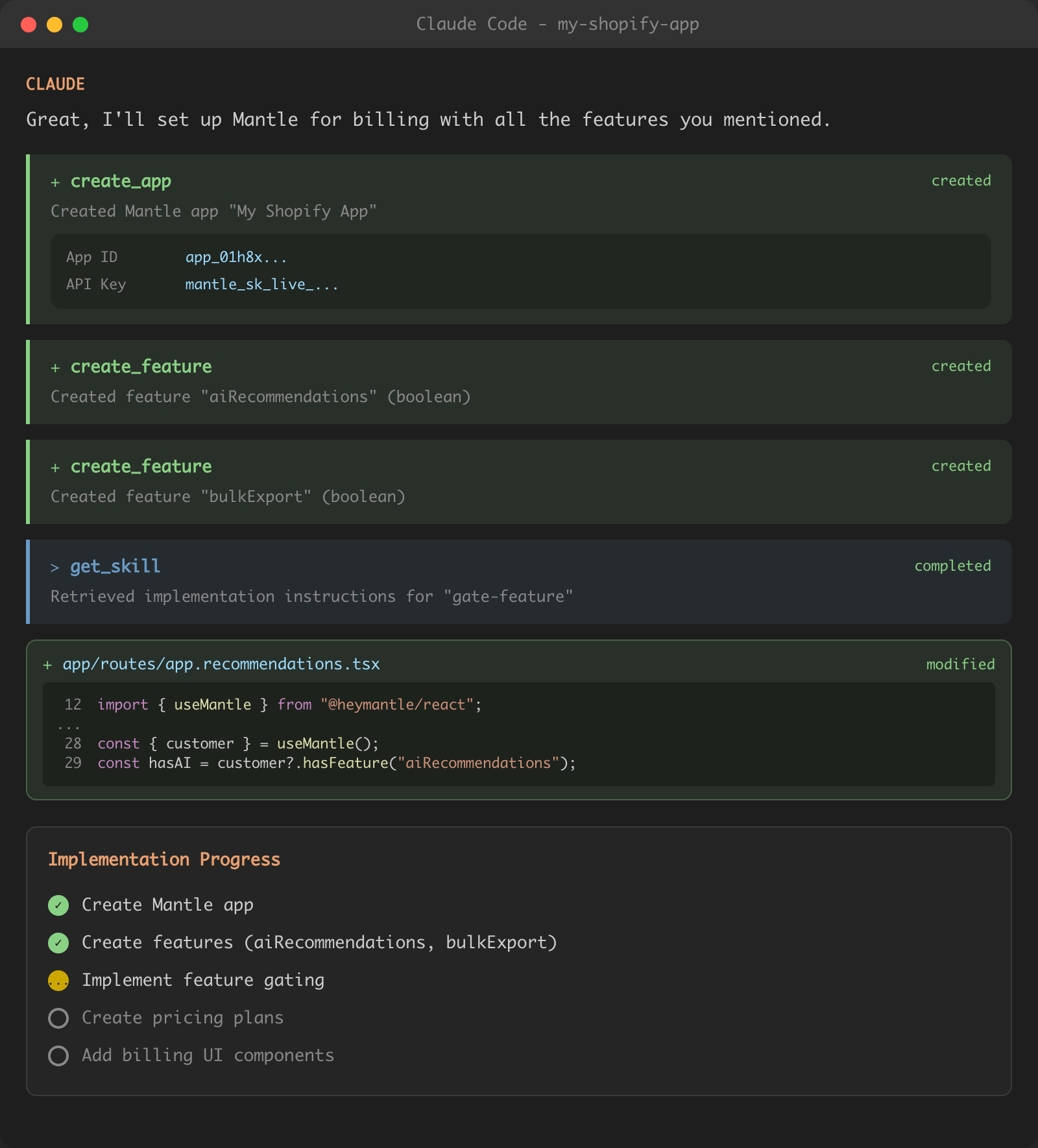
The agent tracks progress through each step, from creating your app and features to implementing the code changes in your files.