
Overview
Stop letting revenue slip through the cracks. Mantle Sales gives you a complete CRM built specifically for SaaS businesses, with everything you need to track prospects, manage your pipeline, and pay your sales team — all without jumping between multiple tools.
Whether you're a solo founder doing outbound or running a full sales org, Sales connects directly to your billing data so you can see the real impact of your sales efforts on revenue.
What you get with Mantle Sales
Mantle Sales includes everything you need to run your sales process:
Pipeline management — A visual kanban board to track deals through every stage
Deal flows — Custom sales processes with weighted stages for forecasting
Prospect tracking — Manage leads from first contact to closed deal
Sales commissions — Automatic commission calculations tied to real revenue
Lists — Organize customers and contacts for targeted outreach
Tasks — Keep your sales activities organized and on track
Pipeline management
Your pipeline is the heart of your sales process. The kanban-style board lets you see every deal at a glance and drag them between stages as they progress.
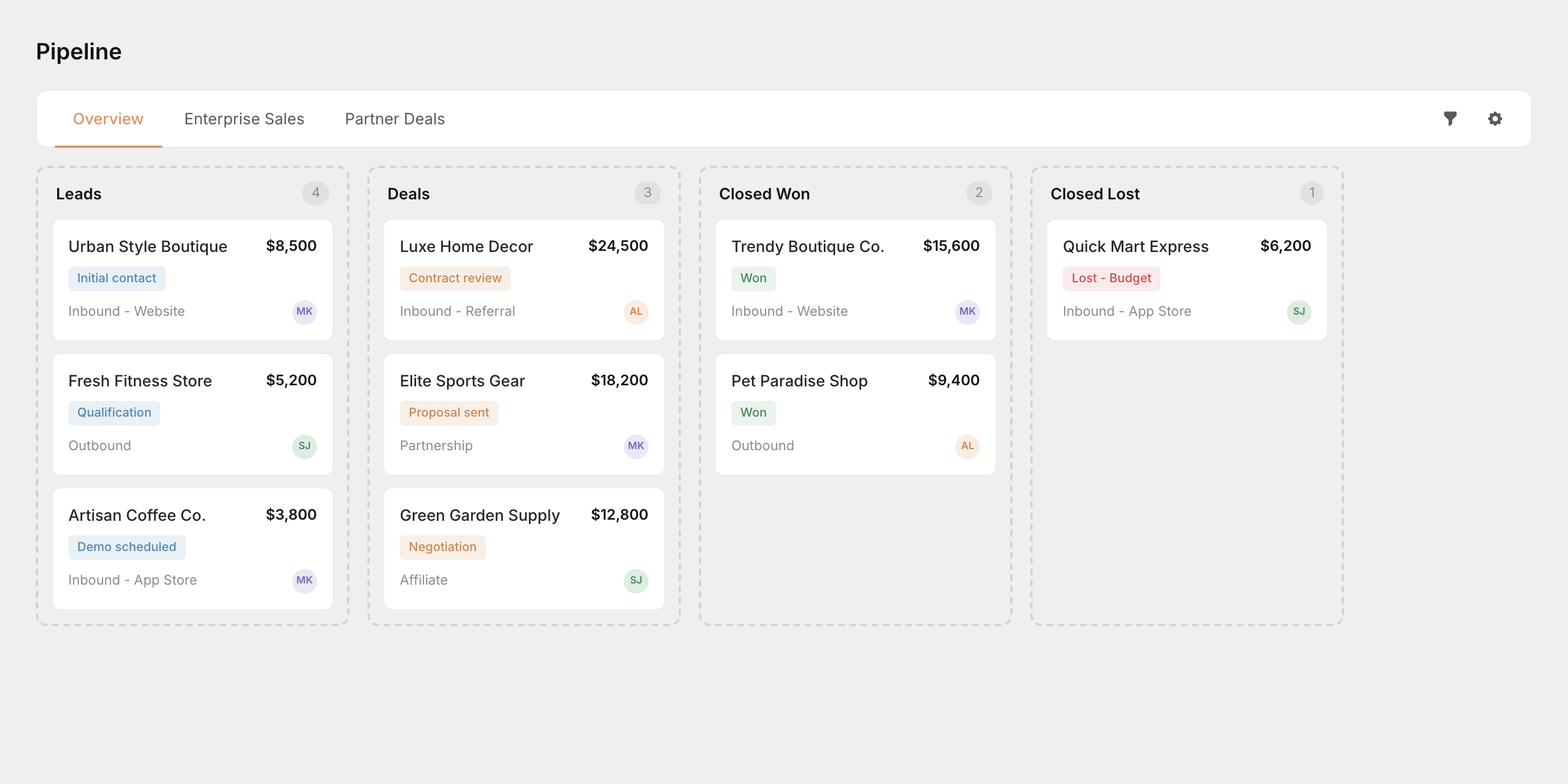
The pipeline supports multiple deal flows, so you can track different sales processes (like enterprise vs. self-serve) in the same view. Switch between tabs to focus on a specific flow, or use the Overview to see everything.
Deal stages
Every deal moves through a series of stages:
Stage type | Description |
|---|---|
Lead | Early-stage opportunities being qualified |
Deal | Qualified opportunities with active negotiations |
Closed Won | Successfully closed deals |
Closed Lost | Deals that didn't close |
Onboarding | Post-sale customer onboarding |
Expansion | Upsell and expansion opportunities |
Churned | Customers who have left |
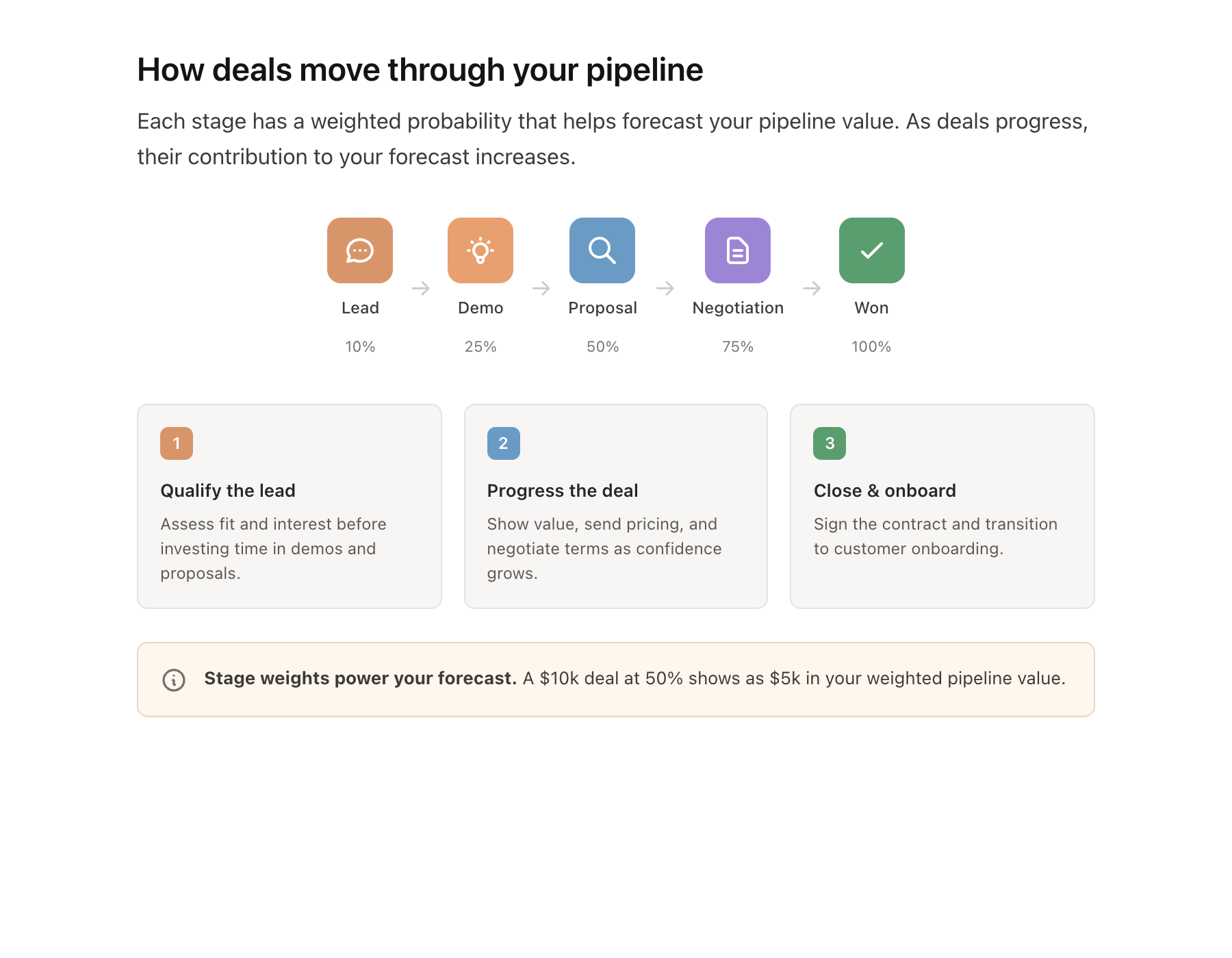
You can customize the specific steps within each stage when you create a deal flow.
Deal flows
A deal flow defines your sales process — the specific stages a deal goes through from first contact to closed. You can create multiple deal flows for different scenarios.
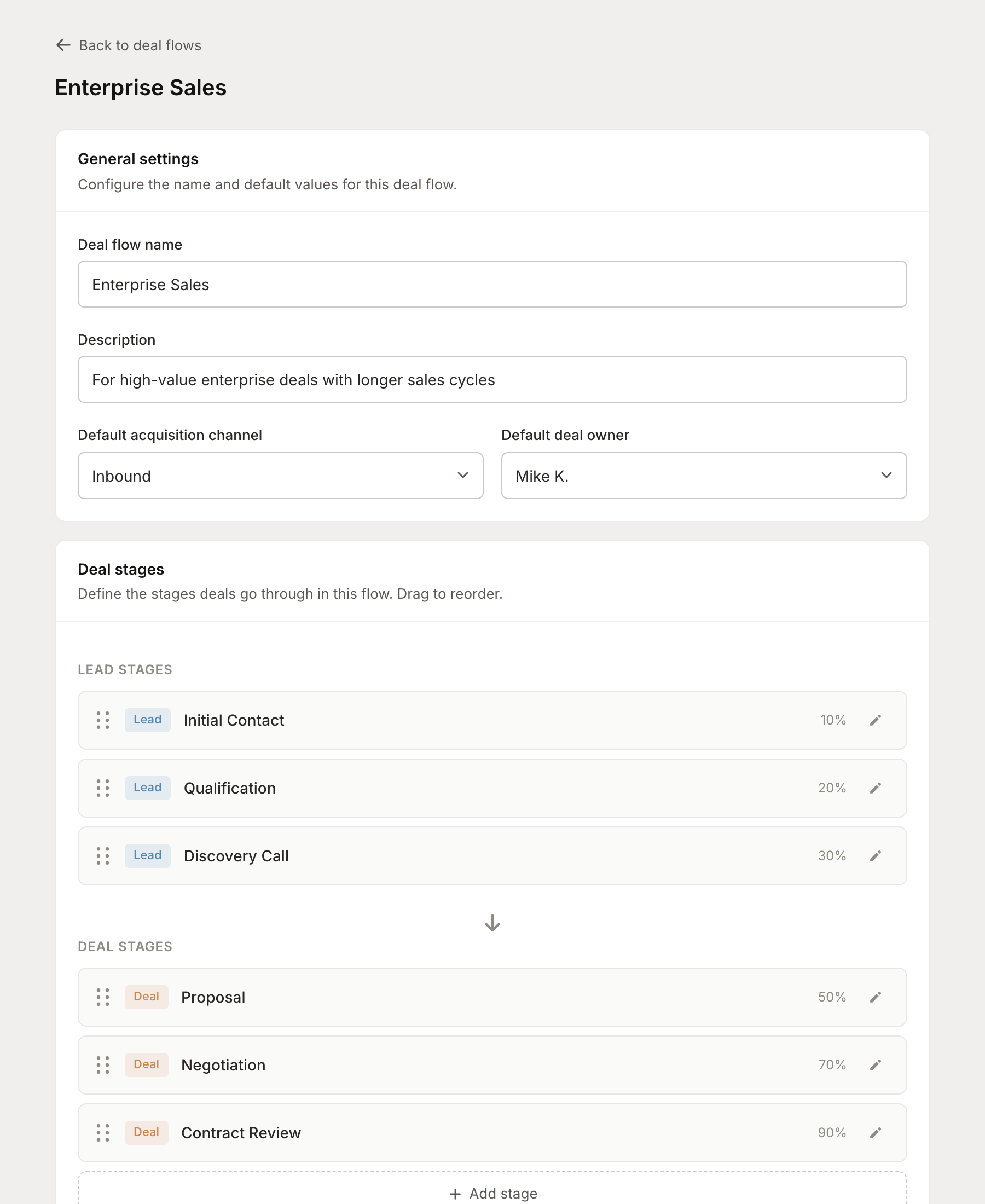
Each deal flow includes:
Custom stages — Define the steps in your sales process (Initial Contact, Demo, Proposal, etc.)
Stage weights — Assign a probability percentage to each stage for pipeline forecasting
Default owner — Automatically assign new deals to a team member
Acquisition channel — Track where deals come from (Inbound, Outbound, Affiliate, Partnership)
Pro tip: Create separate deal flows for different sales motions. An enterprise deal with a 90-day sales cycle needs different stages than a self-serve upgrade.
Tracking deals
Each deal in your pipeline tracks essential information:
Customer — Link deals to existing customers or prospects
Deal value — The expected contract value
Current step — Where the deal is in your process
Owner — The sales rep responsible for the deal
Acquisition source — How the lead found you (Website, App Store, Referral, etc.)
Expected close date — When you expect to close
Filter your pipeline by owner, step, acquisition channel, or deal value to focus on what matters.
Prospects and leads
Before a deal enters your pipeline, it starts as a prospect. The Prospects page helps you manage early-stage opportunities:
Track both companies and individual contacts
Import from external CRMs (HubSpot, Salesforce) or add manually
Tag and organize prospects for targeted outreach
Convert prospects to deals with one click
When you're ready to pursue a prospect, click Create deal to add them to your pipeline.
Sales commissions
Track your team's performance and calculate commissions automatically based on real revenue data. No more spreadsheets or manual calculations.
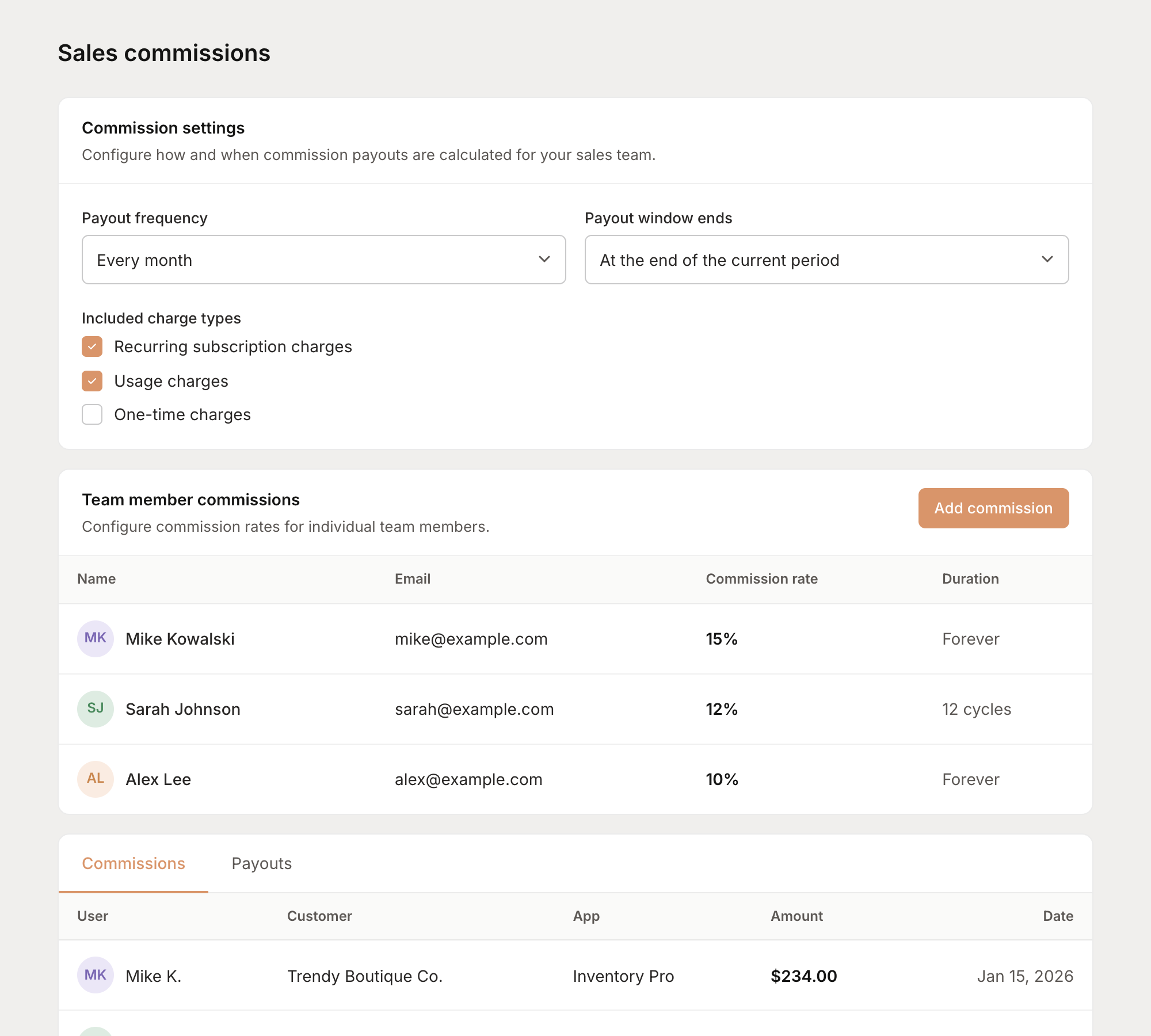
Commission settings
Configure how commissions are calculated:
Payout frequency — Monthly, quarterly, or manually triggered
Included charges — Choose which charge types count toward commissions (subscriptions, usage, one-time)
Team member rates
Set individual commission rates for each team member:
Commission percentage — The rate applied to attributed revenue
Duration — How long commissions are paid (forever, or a specific number of billing cycles)
Lists
Organize your customers and contacts into lists for targeted outreach, tracking, or analysis. For example:
Enterprise prospects
Churned customers for win-back campaigns
VIP accounts needing special attention
Leads from a specific campaign
Lists make it easy to segment your audience and work with specific groups of people.
Dashboard analytics
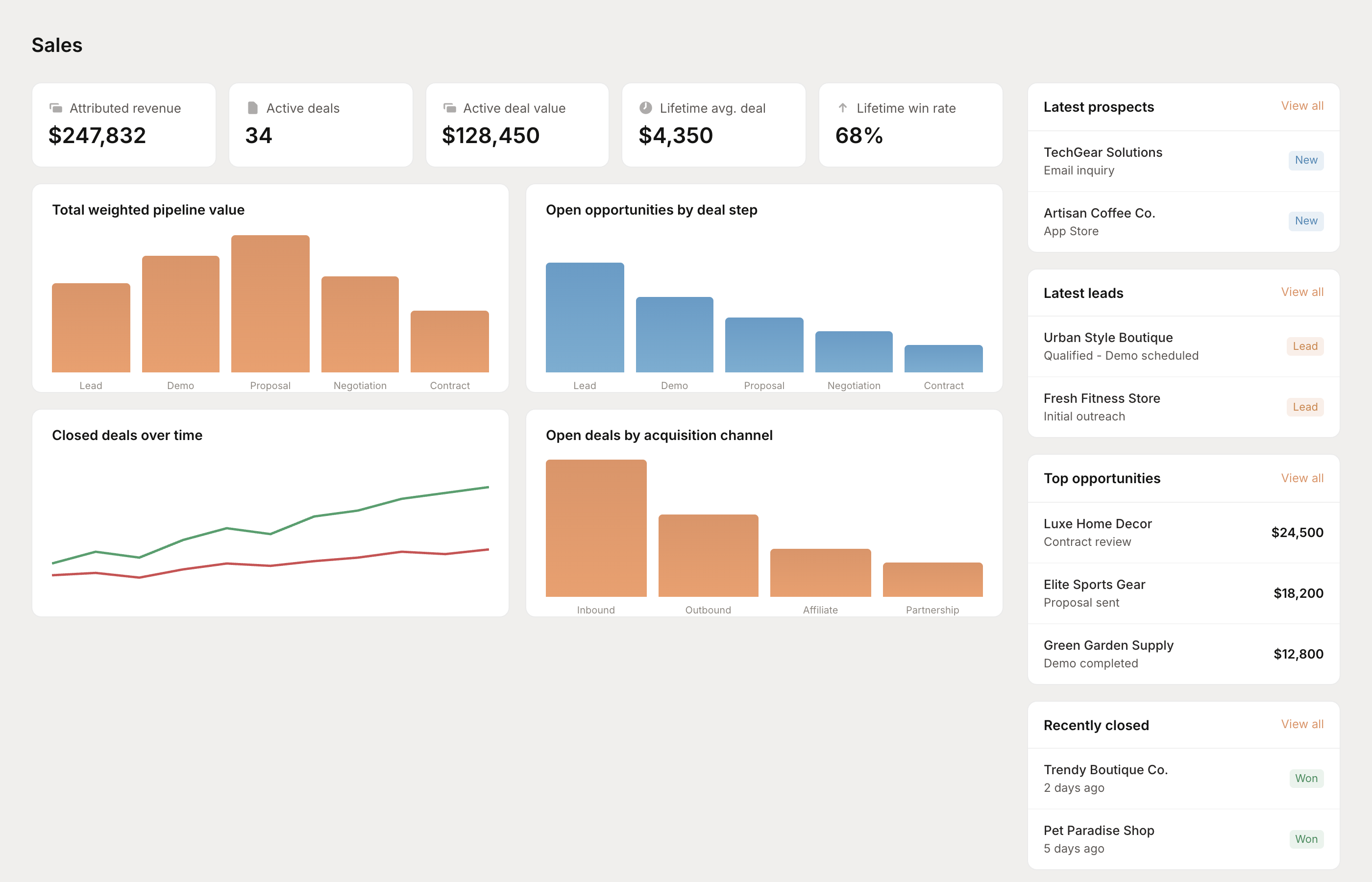
The Sales dashboard gives you a quick overview of your pipeline health:
Attributed revenue — Total revenue tied to sales activities
Active deals — Number of open opportunities
Active deal value — Total value of your current pipeline
Average deal size — Historical average across closed deals
Win rate — Your close rate on qualified opportunities
Charts show trends over time, pipeline by stage, and performance by acquisition channel — everything you need to understand what's working and where to focus.
Getting started
When you first enable Sales, you'll go through a quick onboarding flow:
Source leads — Import from an existing CRM or let Mantle classify your customers
Configure activities — Set up the types of sales activities you track
Set up commissions — Configure payout settings and team member rates
Create a deal flow — Define your first sales process
Once you complete setup, you'll land on your Sales dashboard with everything ready to go.
Go further
Automate sales workflows with Flows — Send Slack alerts for stale deals, trigger follow-ups, and more
AI Agents for sales — Use AI to help with pipeline analysis and deal insights