
Overview
Your customers are already in Mantle. Your documentation, your subscriptions, your revenue data—everything is connected. Mantle Helpdesk turns that into a superpower for support.
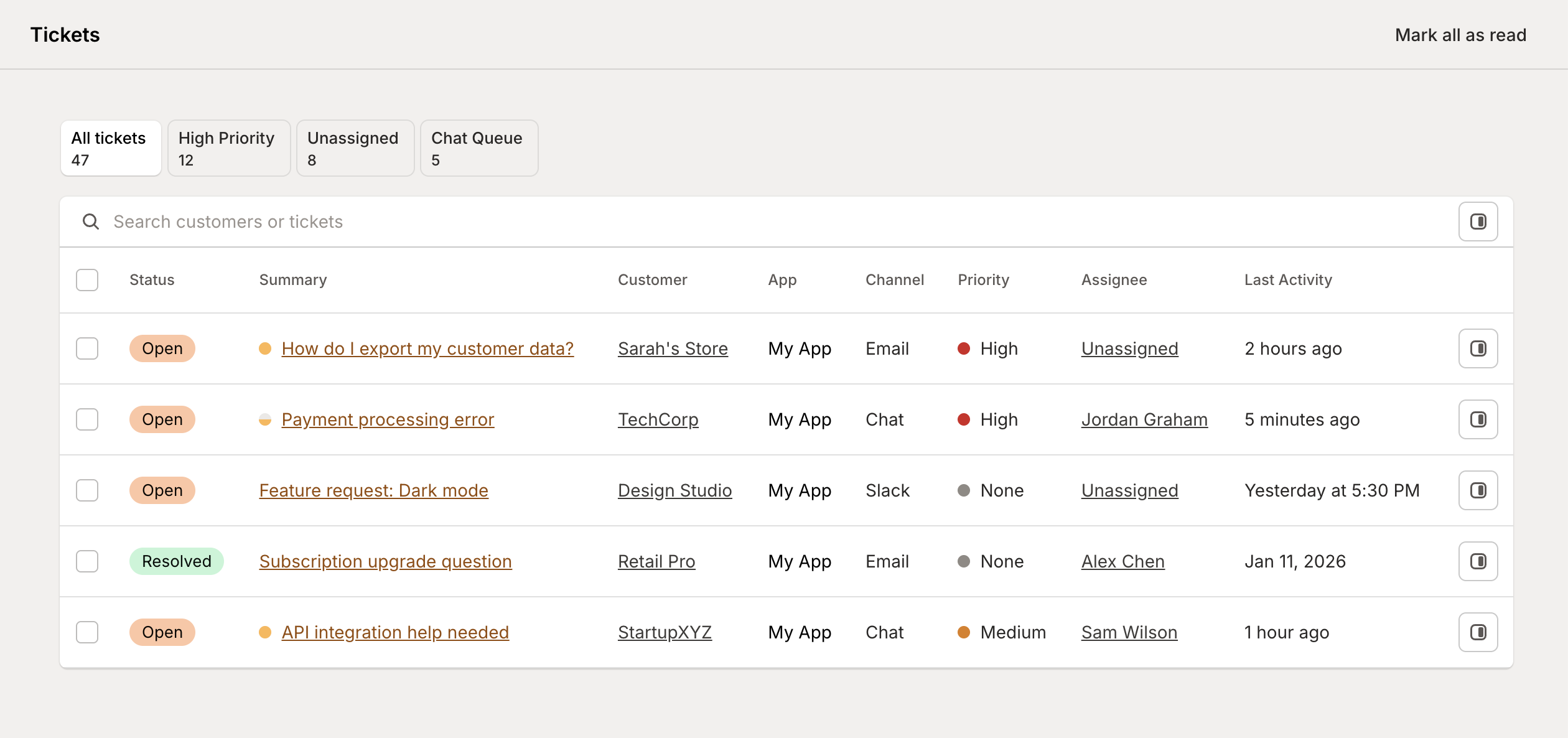
Instead of a disconnected ticketing system that knows nothing about your customers, you get a help desk that understands who's writing, what plan they're on, what they've done in your app, and what they've asked before. Combined with AI that actually knows your product, your team spends less time hunting for context and more time helping customers.
What makes it different
Full customer context, automatically
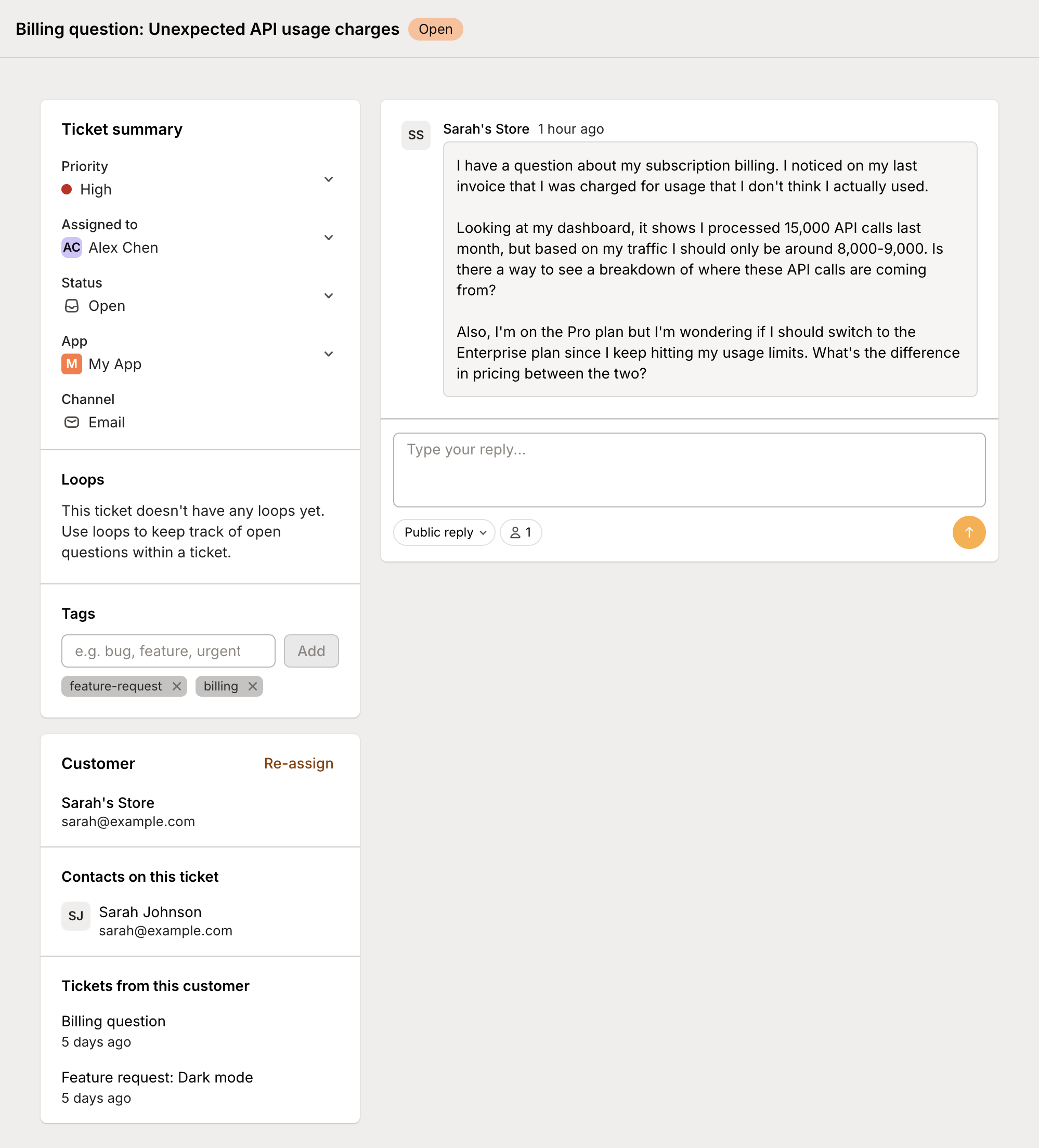
Every ticket arrives with the customer's complete profile attached—their subscription, plan features, recent activity, previous conversations, and timeline. No more asking "what's your store URL?" or searching across systems to figure out who they are.
AI that knows your product
Connect your documentation and codebase. When customers ask questions, AI can search your help articles, understand how your features work, and draft accurate responses. It's not generic AI—it's trained on your specific product.
Multi-channel support in one place

Email, live chat, Slack—wherever your customers reach out, tickets flow into one unified inbox. Your team sees everything in one place, with the same rich context regardless of channel.
Built-in knowledge base
Create and host documentation directly in Mantle. Your docs power AI responses, live in a searchable help center your customers can access, and improve over time based on support patterns.
Key features
Unified inbox
All tickets from all channels in one view. Filter by status, channel, customer segment, tags, or priority. See what's open, what's pending, what needs attention.
AI-powered responses
Response suggestions — AI analyzes tickets and drafts responses based on your documentation and similar resolved tickets
Auto-reply — Let AI handle common questions automatically, with smart escalation for complex issues
Loops — AI tracks open questions within tickets, ensuring nothing falls through the cracks
Customer intelligence
Every ticket shows:
Customer profile and subscription details
Plan features and entitlements
Previous support conversations
Timeline of key events
Custom fields and tags
Live chat
Real-time conversations with customers, embedded in your app via a customizable widget. Chat tickets get the same AI assistance and customer context as email.
Documentation hub
Create and organize help articles
Host a branded knowledge base
AI searches docs to answer questions
Track which articles help (and which don't)
Automation with Flows
Connect helpdesk to Mantle Flows for powerful automation:
Auto-tag tickets based on content
Route tickets to the right team member
Trigger AI analysis on new tickets
Send Slack notifications for urgent issues
Create tasks from support patterns
Getting started
Ready to set up Mantle Helpdesk? Here's the quick path:
Add your documentation — Import or create help articles in a docs repository
Set up a channel — Configure email, chat, or Slack to receive tickets
Configure AI — Enable response suggestions and customize AI behavior
Embed the widget — Add the support widget to your app for live chat
For detailed setup instructions, check out our guides:
Getting started with Helpdesk — Step-by-step setup guide
Support channels — Configure email, chat, and Slack
AI-powered support — Set up response suggestions and auto-reply
Documentation — Create and manage your knowledge base
Widgets — Embed support in your app
The combination of complete customer context, AI that understands your product, and tight integration with your existing Mantle data means faster resolutions, happier customers, and a support team that can focus on what matters.