

Syncing docs with GitHub
Keep your documentation in sync with a GitHub repository. Write docs in markdown, push to GitHub, and Mantle automatically updates your published documentation. Changes you make in Mantle's editor can sync back to GitHub too.
This is useful when your team already writes in markdown, wants version control for documentation, or prefers to manage docs alongside code in a familiar Git workflow.
How it works
GitHub sync connects a repository to your Mantle docs. Once connected:
Push to GitHub — Mantle detects the change via webhook and updates your docs automatically
Edit in Mantle — Changes are pushed back to GitHub as commits (in two-way mode)
Initial sync — When you first connect, Mantle imports all markdown files from your repository
You choose the sync direction: two-way sync keeps both sides in sync, or backup only pushes Mantle changes to GitHub without pulling from it.
Setting up GitHub sync
You'll find GitHub sync in your docs repository settings. Go to Helpdesk > Docs, open your repository, and click the gear icon to access settings.
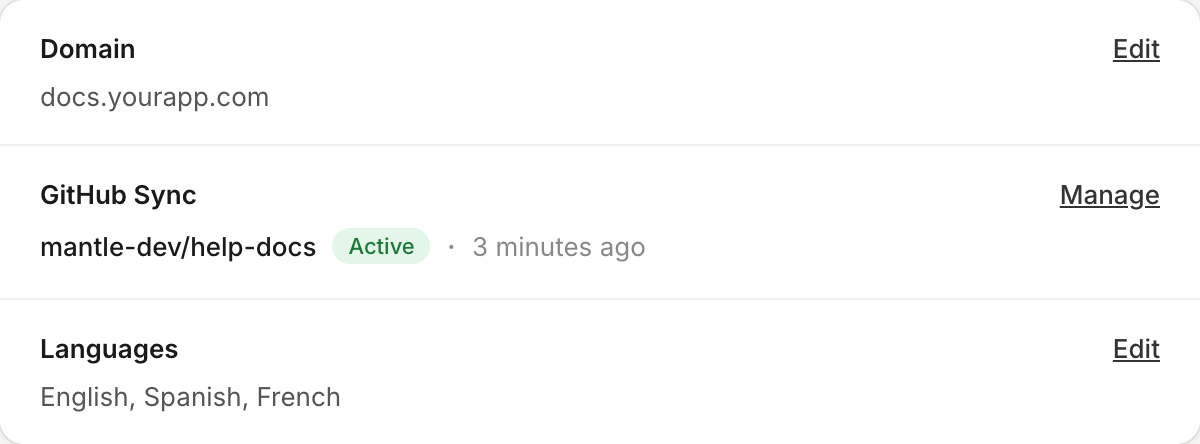
Step 1: Install the GitHub App
Click Connect on the GitHub Sync card. If you haven't installed the Mantle Docs GitHub App yet, you'll be prompted to install it on your GitHub account or organization.
The GitHub App only requests permission to read and write repository contents — it never accesses your code outside the repositories you explicitly grant access to.
Step 2: Configure the connection
Once the GitHub App is installed, you'll see the setup form:
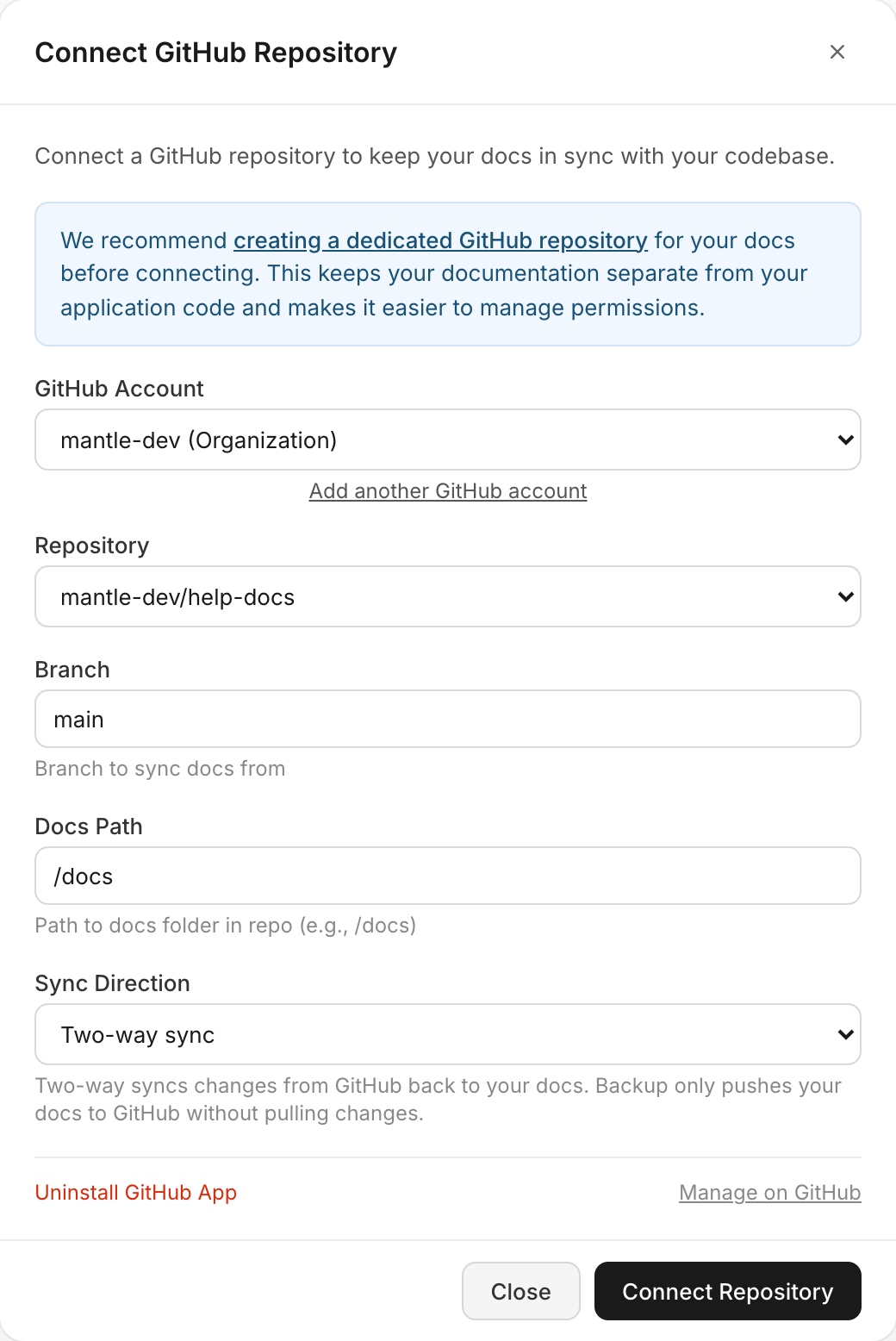
| Setting | Description |
|---|---|
| GitHub Account | Select which GitHub account or organization to connect. You can add multiple accounts. |
| Repository | Choose the repository containing your documentation. |
| Branch | The branch to sync from (defaults to main). |
| Docs Path | The folder in your repository where docs live (defaults to /docs). This lets you keep docs in a subfolder alongside other files. |
| Sync Direction | Choose between two-way sync or backup only (see below). |
Step 3: Connect and sync
Click Connect Repository to save the configuration. Mantle immediately runs an initial sync, importing all markdown files from your repository into your docs.
If your repository is empty, Mantle pushes your existing Mantle docs to GitHub instead — so you can start from either direction.
Sync directions
You can change the sync direction at any time from the management view.
Two-way sync
The default mode. Changes flow in both directions:
GitHub → Mantle — When you push commits to the connected branch, a webhook triggers an automatic sync. New and updated markdown files are imported into your docs.
Mantle → GitHub — When you edit a page in Mantle's editor, the change is queued and pushed to GitHub as a commit.
Mantle handles conflicts by comparing timestamps. If a page was edited in Mantle after the last GitHub sync, the local version is preserved during the next pull.
Backup only (push to GitHub)
In this mode, Mantle pushes changes to GitHub but never pulls from it. This is useful when:
You want a version-controlled backup of your docs
Your team edits exclusively in Mantle's editor
You want a Git history of changes without bidirectional sync
Managing your sync
Once connected, click Manage on the GitHub Sync card to see your sync status, recent sync history, and settings.
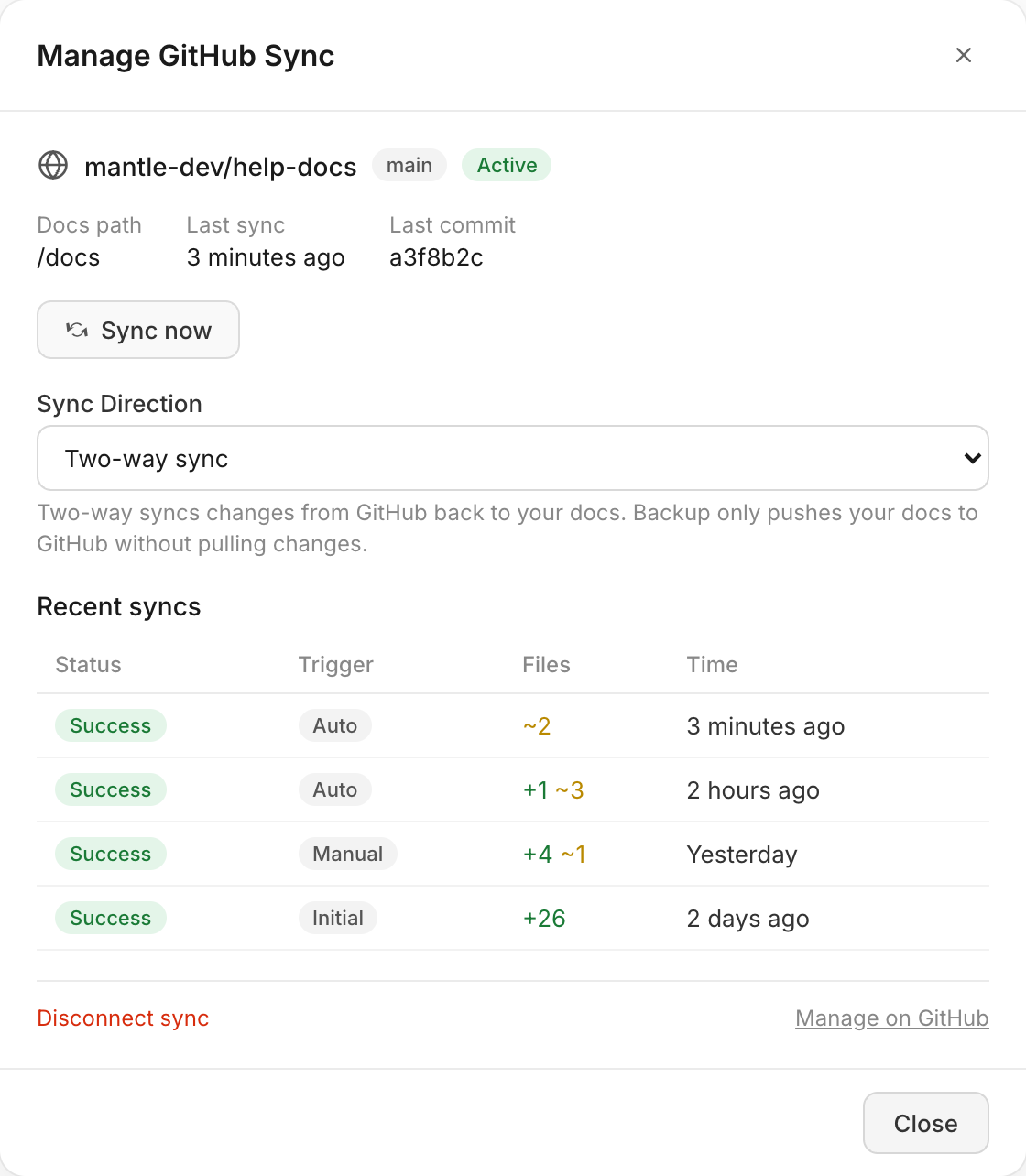
The management view shows:
Connection status — Which repository, branch, and whether sync is active
Last sync — When the most recent sync ran and the latest commit SHA
Recent syncs — A history of sync runs showing status, trigger type (auto, manual, or initial), and file counts
Click Sync now to manually trigger a sync at any time. This pulls the latest changes from GitHub and pushes any pending Mantle changes.
Disconnecting
To disconnect GitHub sync, click Manage on the GitHub Sync card, then click Disconnect sync. This stops syncing but preserves your existing documentation in both Mantle and GitHub — nothing is deleted.
If you want to fully remove the GitHub App integration, click Uninstall GitHub App in the setup view, and also uninstall the app from your GitHub account settings.
Go further
Documentation & knowledge base — Overview of Mantle's docs platform
Using the docs editor — Write and format docs directly in Mantle
Docs landing page — Configure your docs site homepage