

Flow templates
Flow templates are pre-built automations that give you a head start. Instead of building a flow from scratch, pick a template that fits your use case, customize the details, and you're up and running in minutes.
Browsing the template library
To access templates, head to Flows and click Start from template. You'll see a searchable library of templates organized by category.
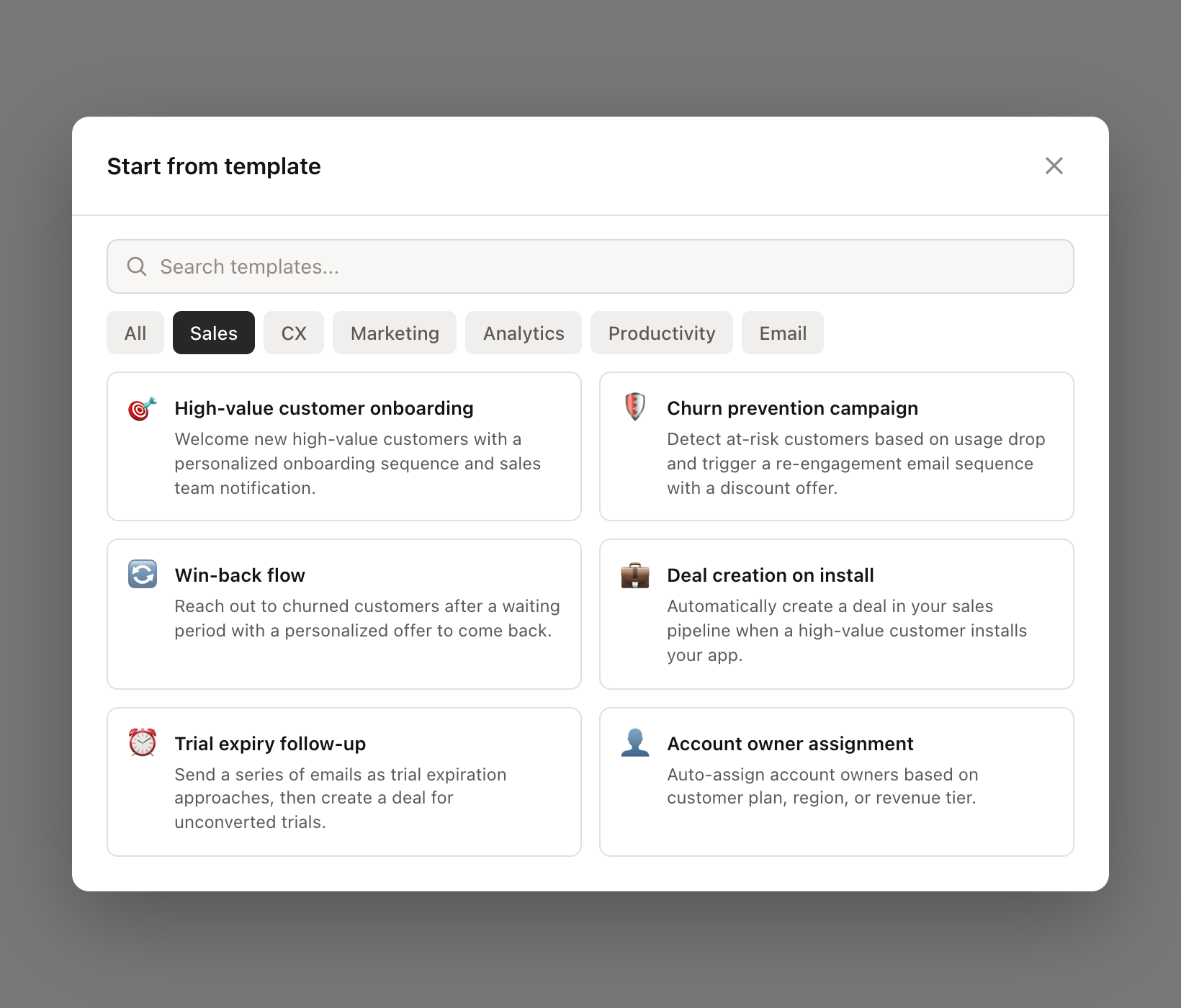
You can:
Search by keyword - Use the search bar to find templates related to what you need
Filter by category - Click a category tab to see only templates of that type
Template categories
Templates are organized into these categories:
Category | What's included |
|---|---|
Sales | High-value customer onboarding, churn prevention, win-back campaigns, deal creation and pipeline automation |
CX | Support ticket routing, customer satisfaction tracking, issue escalation, AI response suggestions |
Marketing | Email campaigns, promotional flows, list management, engagement tracking |
Analytics | Behavioral tracking, cohort management, usage monitoring |
Docs | Documentation-related automations, knowledge base workflows |
Productivity | Team notifications, task creation, internal workflow automation |
Email sequence flows, drip campaigns, email engagement tracking |
Using a template
When you click on a template, you'll see what it does and how it works. Some templates are ready to use as-is, while others need a few inputs from you first.
Templates with inputs
Many templates have customizable parameters that you'll fill in before the flow is created. Common inputs include:
App - Which of your apps the flow should apply to
Slack channel - Where to send notifications
Tags - What tags to apply to customers
Account owner - Who to assign customers or deals to
Deal stage - Which pipeline stage to create deals in
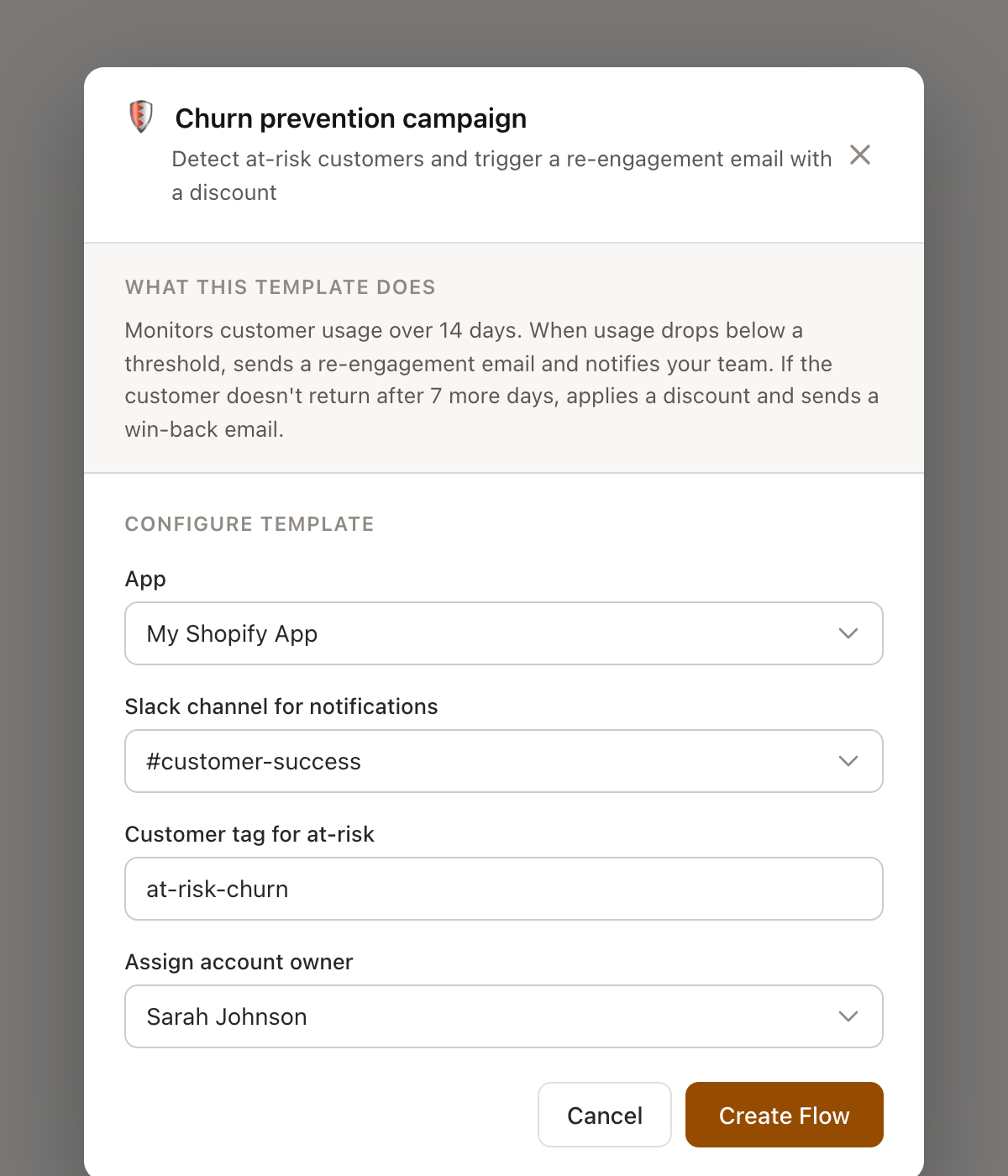
Fill in these details and click Create. Your flow will be created with all the triggers, conditions, and actions pre-configured.
After creating from a template
Templates create a fully editable flow. After creation, you can:
Modify triggers, conditions, and actions to match your exact needs
Add or remove steps
Change timing, messaging, or any other configuration
Test the flow with the flow debugger before publishing
Creating templates from your flows
Built a flow that works really well? You can save it as a template for your team to reuse. Open the flow editor, click the action menu, and select Create template from this flow.
This captures the flow's structure as a reusable template that will appear in your template library.
Templates are a great starting point, but they're just that - a starting point. Customize them to fit your business, combine them with AI-powered modifications, and iterate as you learn what works best for your customers.