

What's in an agent
Before you start using agents, it helps to understand what makes them tick. An agent isn't just a chatbot—it's an AI with specific instructions, access to real tools, and knowledge of your business. This page breaks down how agents work and what you can configure.
The anatomy of an agent
Every Mantle agent is built from the same core components. The mandate sits at the center—it's the agent's identity and purpose. Surrounding it are the capabilities you choose to enable: tools for accessing data, rules for guidance, and optional connections to external systems.
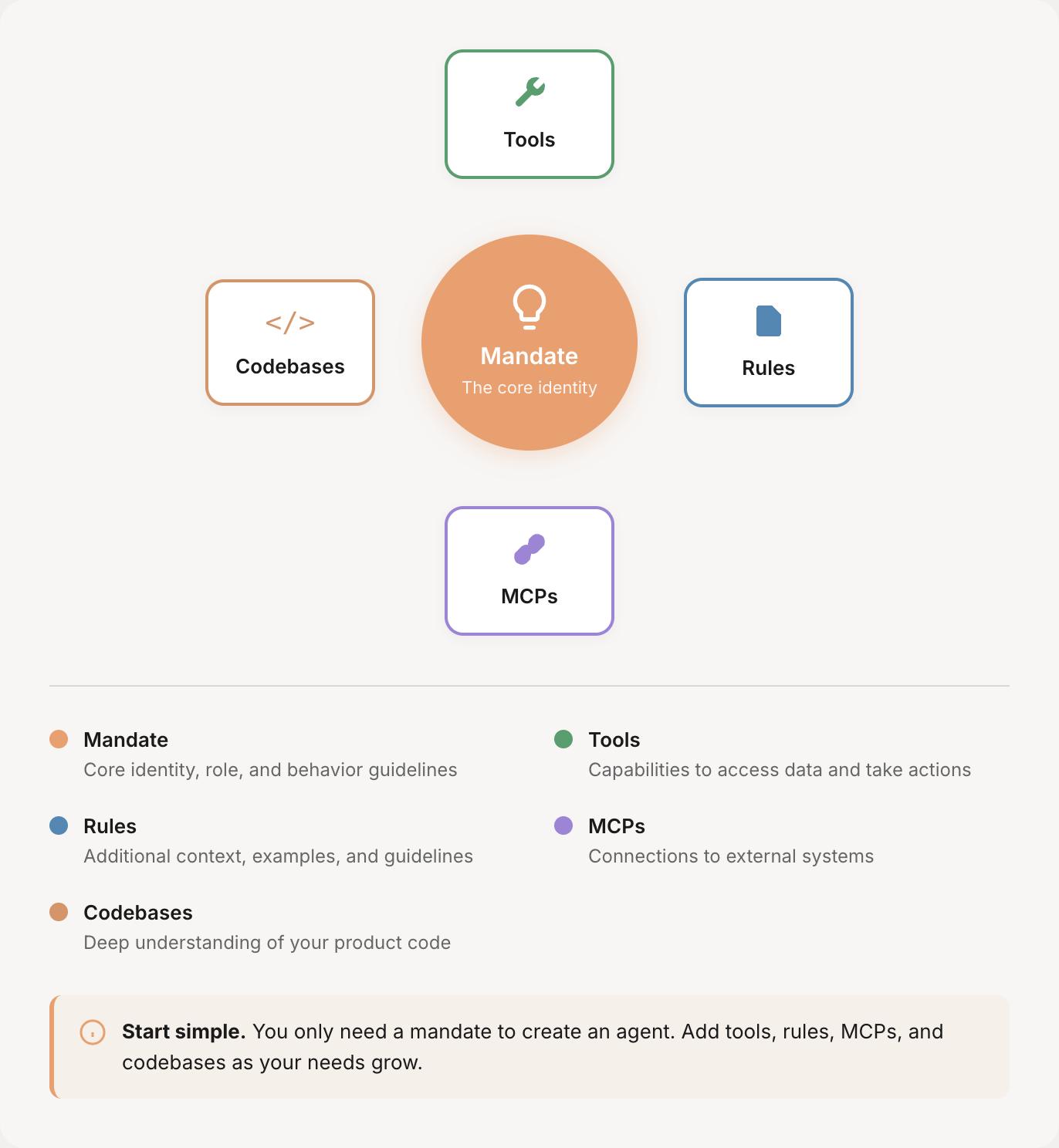
Mandate — The core identity
The mandate is your agent's job description. It defines what the agent should do, how it should behave, and what it specializes in. A well-written mandate includes:
Role and expertise — What is this agent? What does it specialize in?
Responsibilities — What should it help users with?
Guidelines — How should it respond? What tone should it use?
Boundaries — What should it NOT do?
Everything your agent does flows from its mandate. A customer insights agent with a mandate focused on data analysis will approach questions differently than a support agent focused on helping customers.
Tools — Capabilities and data access
Tools give your agent the ability to actually do things. Without tools, an agent can only respond based on what it knows—with tools, it can query real data, run reports, create content, and take actions.
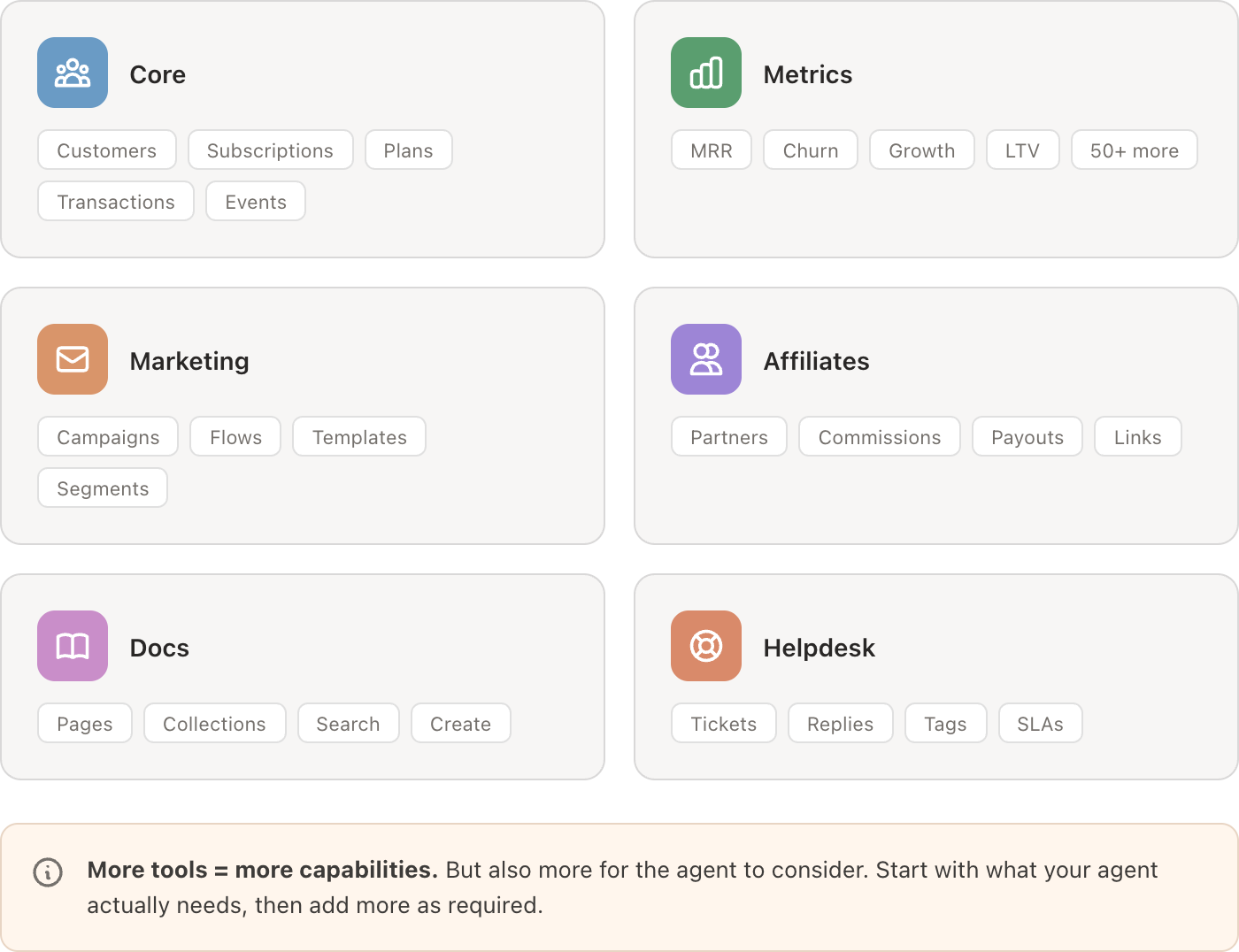
Mantle's built-in tools are organized by category. Enable what your agent needs—a customer insights agent might need Core and Metrics, while a content writer might need Docs and Marketing.
Rules — Additional guidance
Rules provide extra context beyond the mandate. They're useful for:
Detailed documentation the agent should reference
Company-specific terminology or processes
Examples of good responses
Edge cases and how to handle them
Think of rules as appendices to the mandate. They keep your core job description clean while still giving the agent everything it needs to know.
MCPs — External connections (optional)
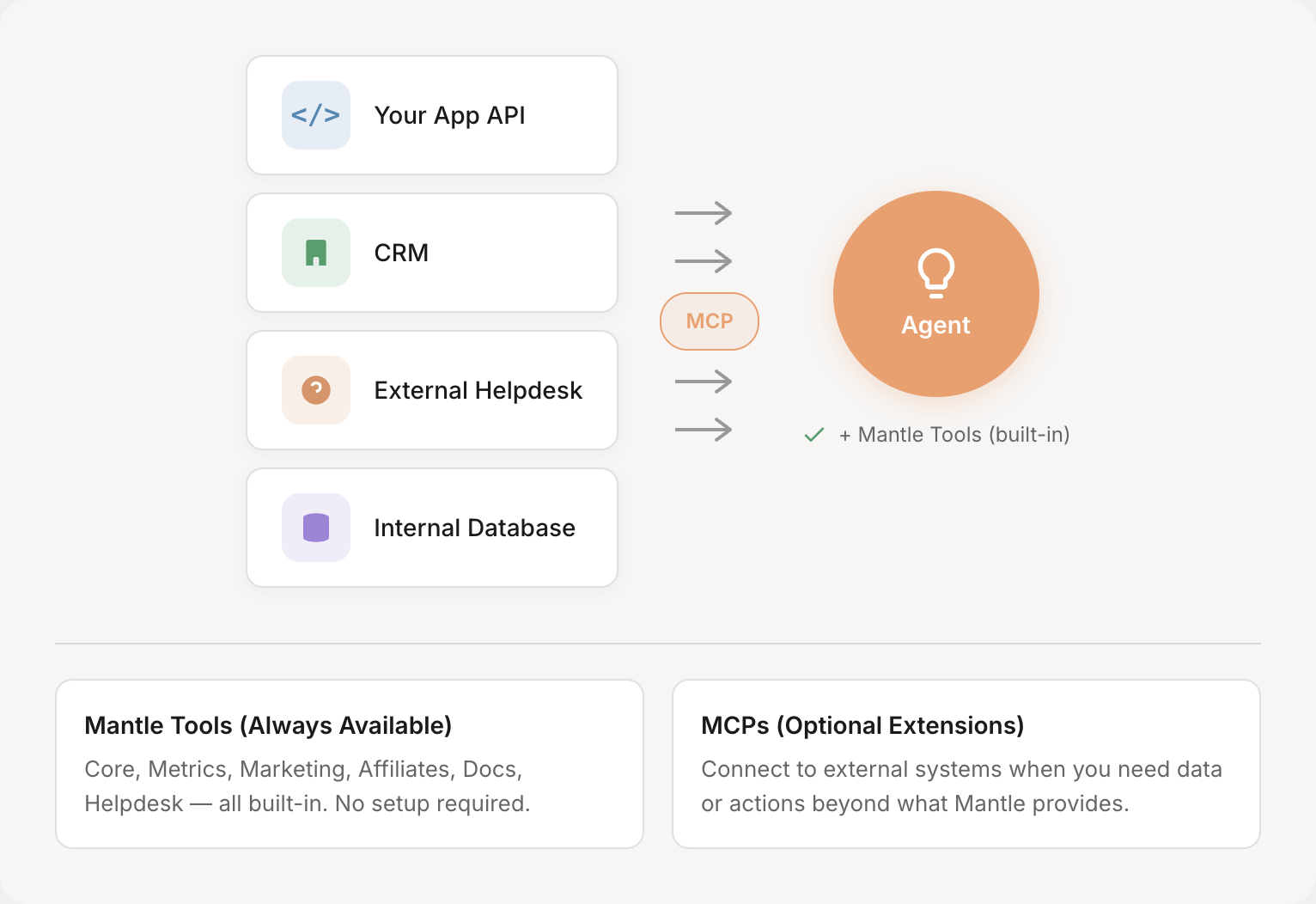
Model Context Protocols let you connect your agent to systems beyond Mantle. This is entirely optional—Mantle's built-in tools cover most use cases. But if you need your agent to access your own app's API, a CRM, or internal databases, MCPs make it possible.
Codebases — Product context (optional)
Connecting a codebase gives your agent deep understanding of your actual product code. This isn't just file access—it's intelligent code comprehension that lets your agent reason about your product like a developer would.
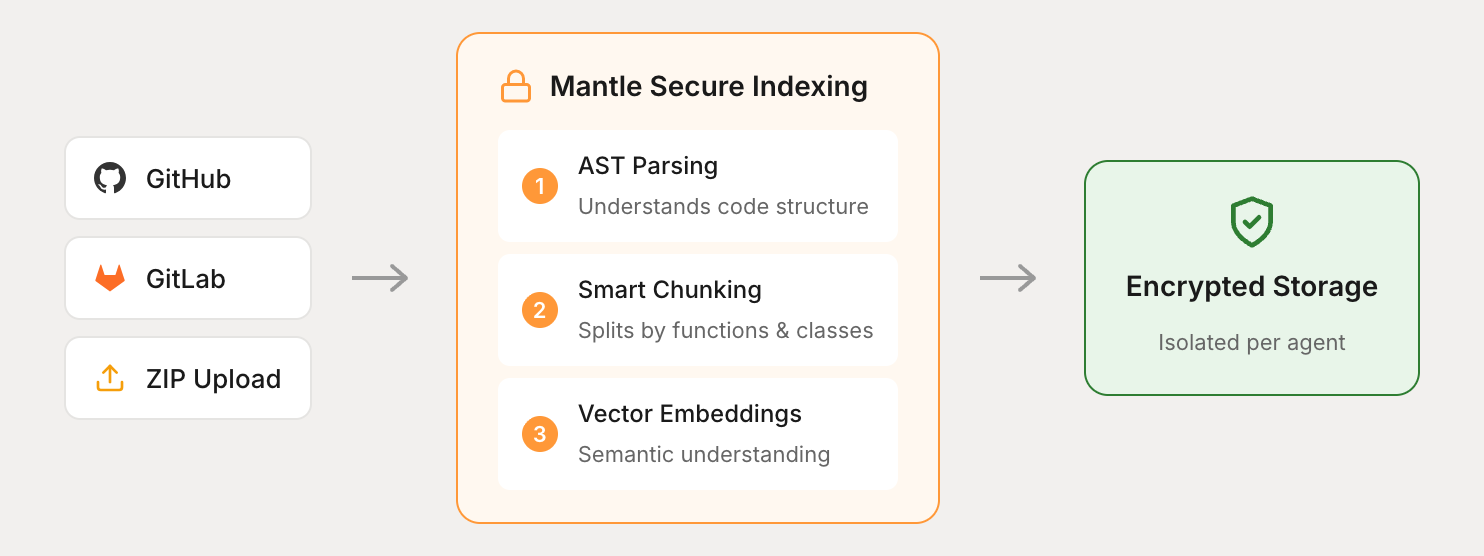
When you connect a codebase from GitHub, GitLab, or a ZIP upload, Mantle processes it through a secure indexing pipeline. The result is a searchable knowledge base that understands what your code does, not just what words appear in it.
Why this matters
Many AI tools connect to codebases by simply pulling files from GitHub when asked. That works for small projects, but breaks down quickly:
Generic file access | Mantle's approach |
|---|---|
Searches by filename or keyword matching | Searches by meaning using semantic vectors |
Returns whole files, flooding context | Returns relevant code chunks only |
Misses code spread across files | Finds related code across your entire project |
Slows down as codebase grows | Stays fast through pre-indexed vectors |
This is the same approach used by professional coding tools like Claude Code and Cursor. Your agent can find the authentication flow spread across five files, understand how a feature connects to your database layer, or trace a bug through your error handling—without you having to point it to specific files.
Security and isolation
Each codebase is stored in encrypted, isolated storage. Your code vectors are never mixed with other organizations' data, and the original source code is never exposed directly to the AI—only the indexed representations are used for search. Incremental indexing means only changed files are reprocessed when you push updates.
If your agent doesn't need to reference code, skip this section entirely. But if you want your agent to truly understand your product, codebase access makes a significant difference.
How agents process requests
When you ask your agent a question, it follows a consistent process: understand what you're asking, find the right tools to answer it, fetch the data, and format a response according to its guidelines.
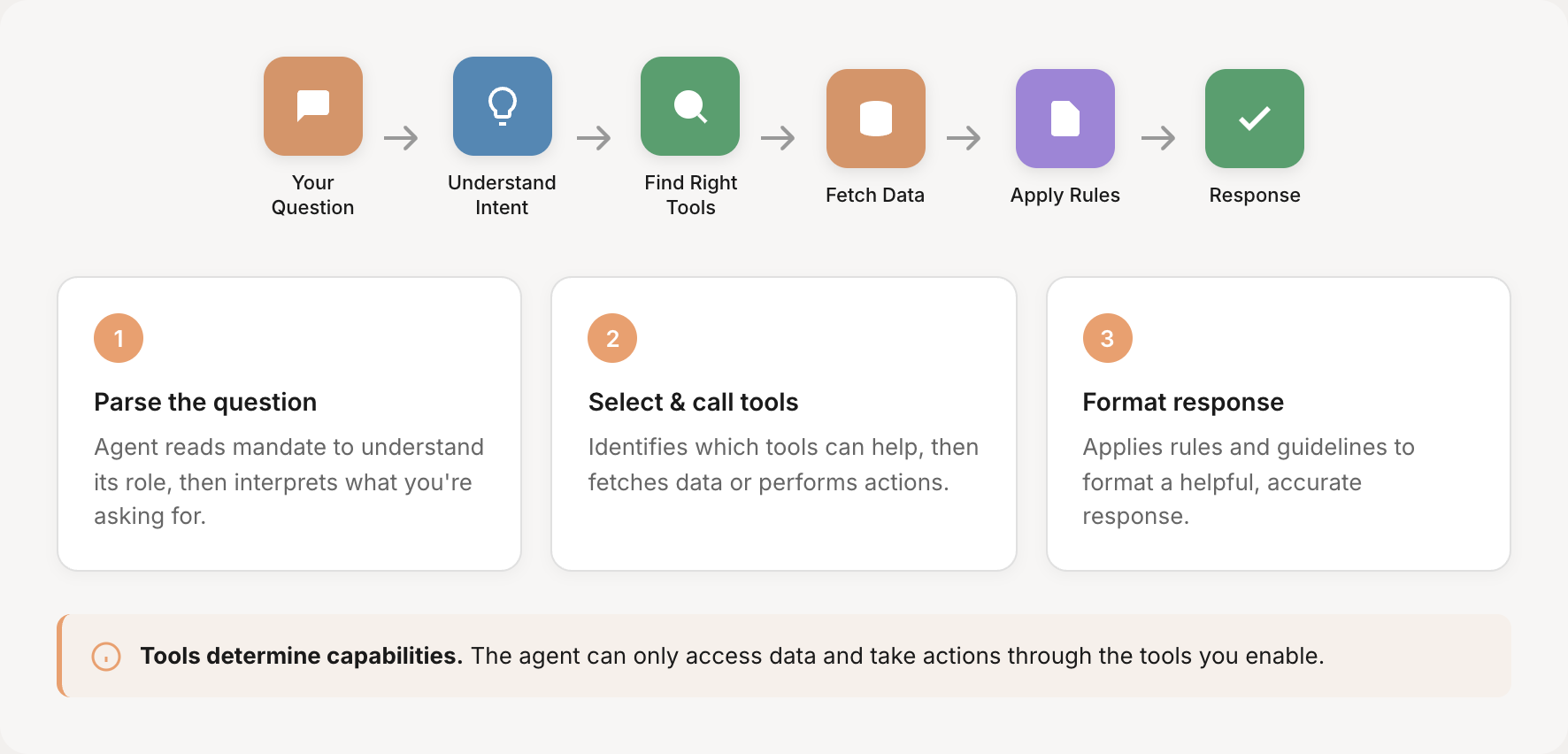
For example, if you ask "Show me churned customers from last month who came from paid ads," the agent:
Understands you want churned customers with specific filters
Identifies the customer and subscription tools it needs
Queries for churned subscriptions in the date range
Cross-references with traffic source data
Formats the results according to its mandate
Two ways to use agents
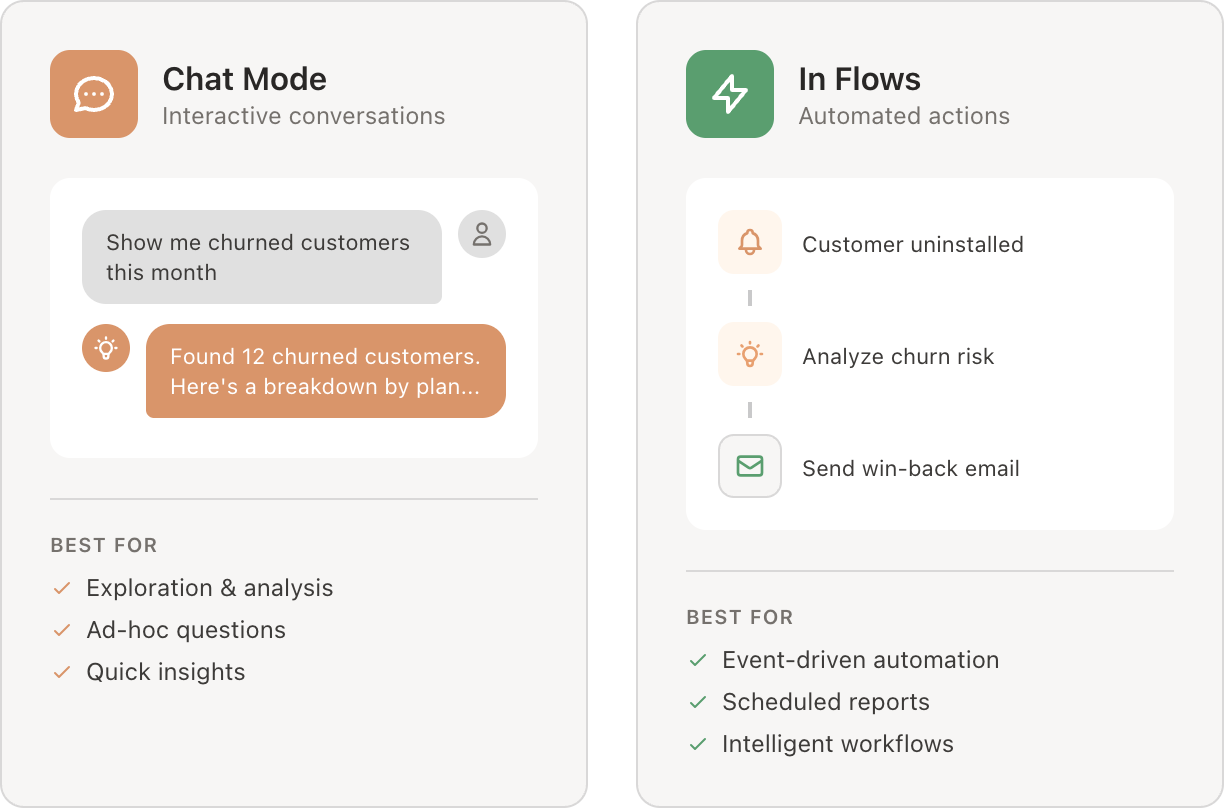
Agents can work interactively through chat, or automatically through flows. Most agents support both modes.
Chat mode is for exploration and ad-hoc questions. Ask anything, get answers, dig deeper. Good for analysis, quick insights, and working through problems interactively.
In Flows, agents become part of automated workflows. A flow triggered by "Customer uninstalled" could run an agent to analyze churn risk, then use that analysis to decide what action to take—tag the customer, send an email, or notify your team.
Learn more: Using agents in Flows
Controlling who can use an agent
Each agent has visibility settings that control who can see and use it:
Organization — Anyone in your organization
By role — Only specific roles (owner, admin, member)
By feature access — Only users with access to certain features
Private — Only you
Visibility only controls who can chat with the agent. What data the agent can access is controlled by the tools you enable.
Understanding these components helps you build more effective agents. Start with a clear mandate and the right tools, then add rules, MCPs, and codebases as needed.
Ready to build one? Creating your first agent walks you through the process step by step.