

Sync App Store listing
Want to see your App Store reviews and keep your app’s branding consistent in Mantle? Let’s get your App Store listing connected.
What gets synced
Once connected, Mantle automatically pulls in:
Your app’s icon (no need to upload it separately!)
Customer reviews and ratings
Other App Store listing details
Quick setup guide
Getting connected is simple:
Head to Apps in Mantle
Find and click on your app
Pop into Settings
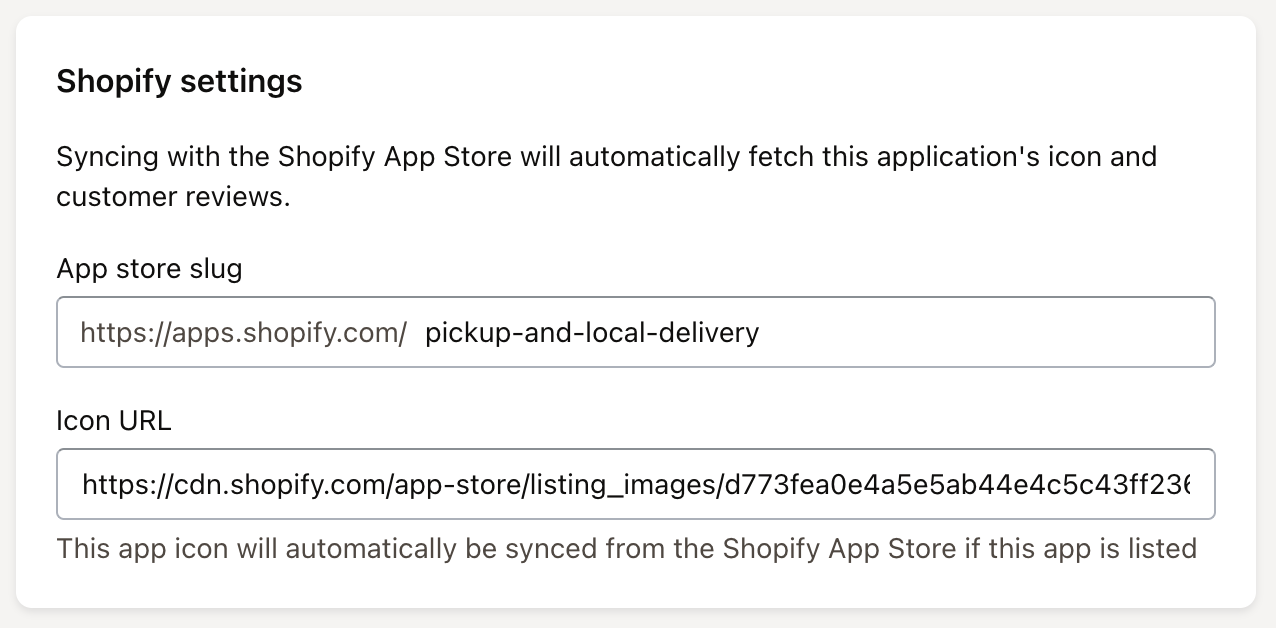
Look for App store slug and add your app’s URL
Hit Save changes
What happens next?
Give it a few minutes to do it’s thing, then refresh Mantle. You’ll see your app’s icon appear and reviews start populating. It’s that easy!